MTEXT — Multiline text
 Ribbon: Annotate ▸ Text ▸ Multiline TextCommand:
MTEXTAlias: T / MT
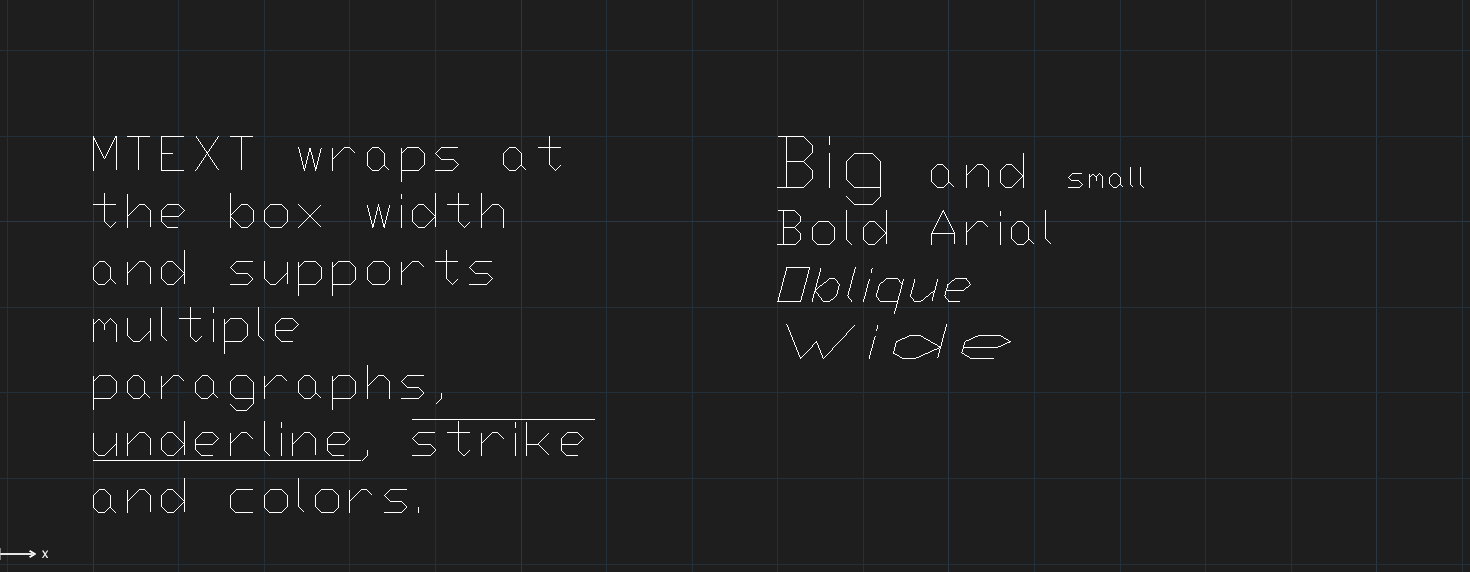
MTEXT creates a paragraph inside a rectangular box: lines wrap to the box width, with several paragraphs and per-part bold, italic, underline, colour and size.
Creating a paragraph
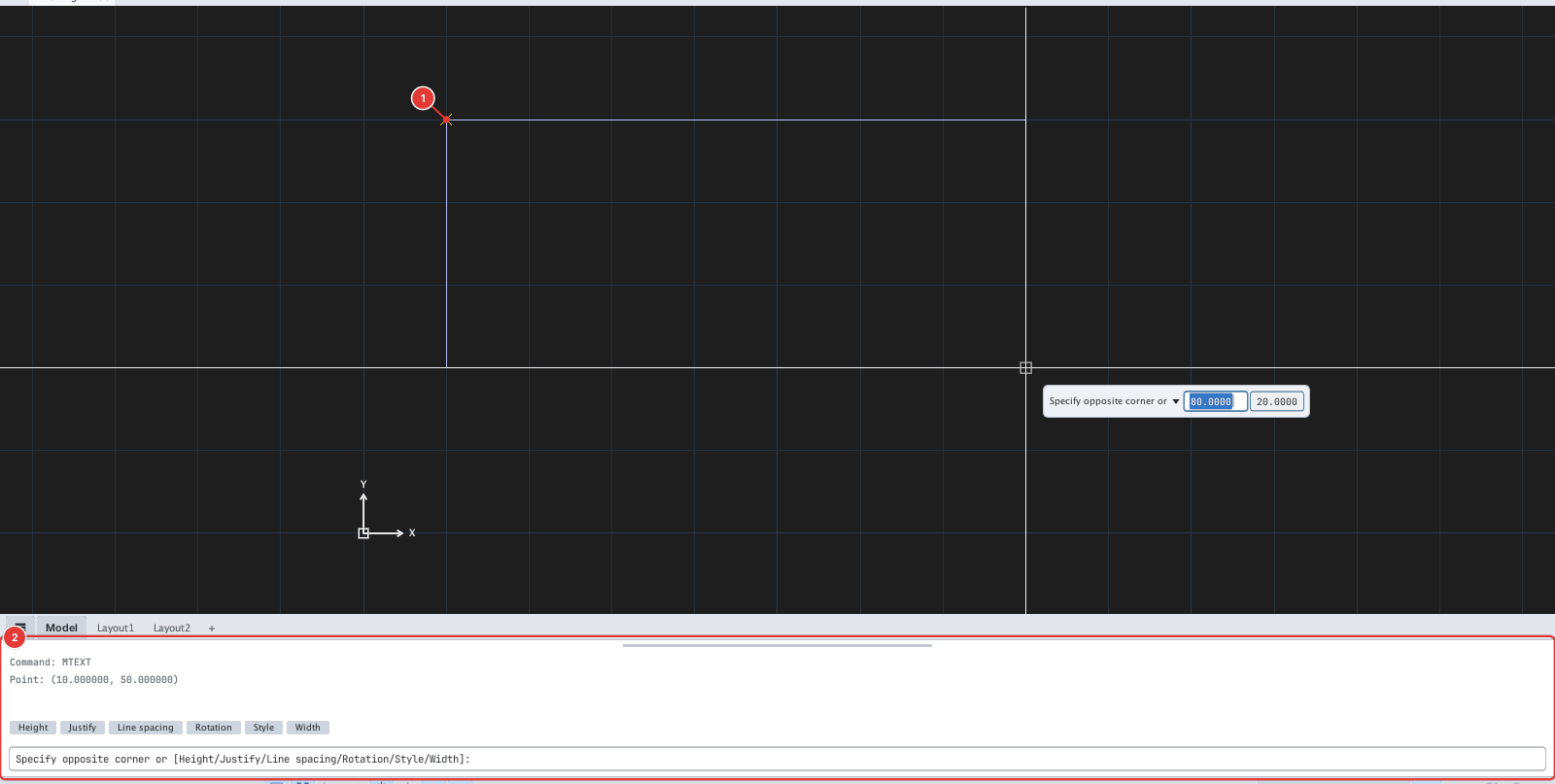
- Click Multiline Text or type
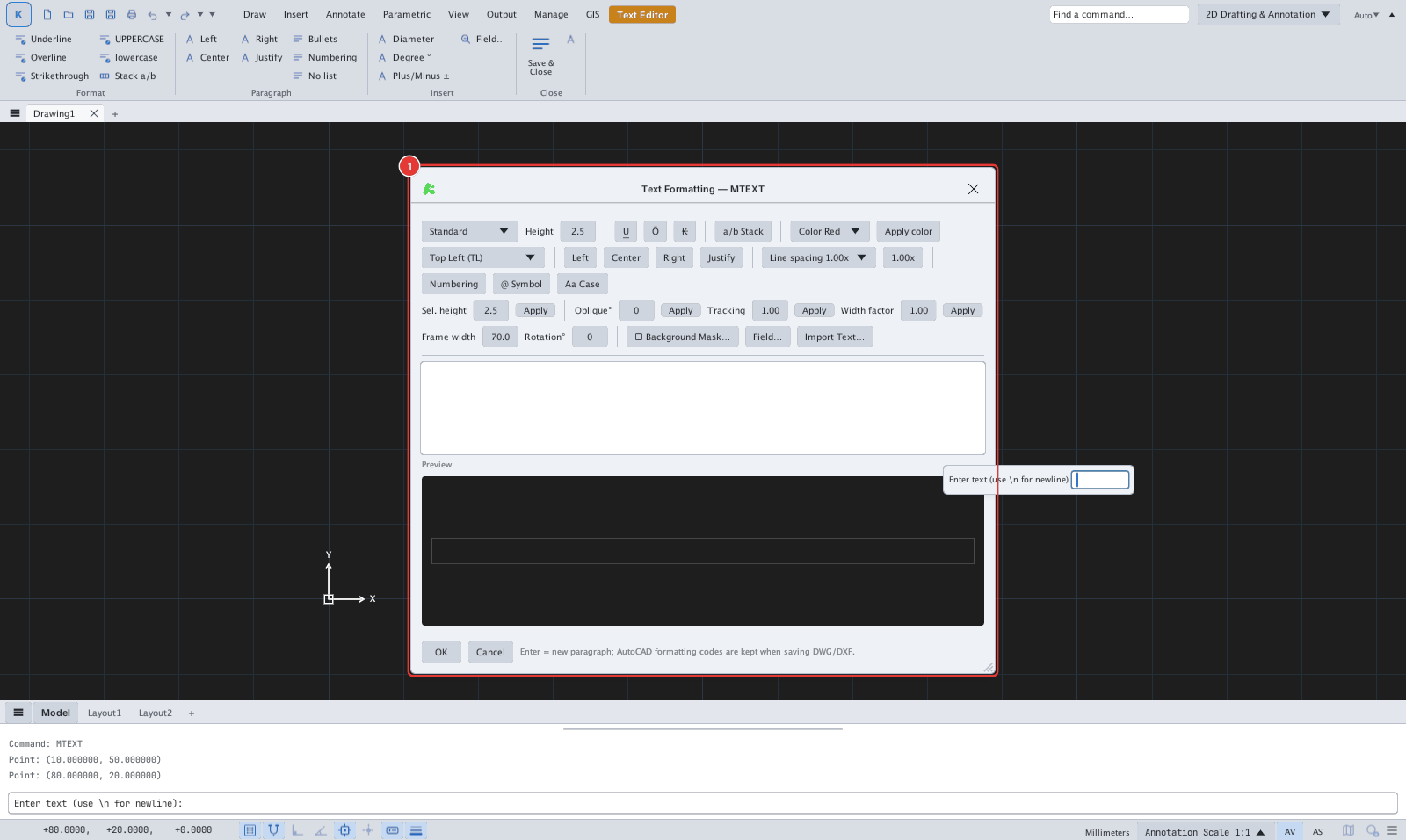
T, Enter. Specify first corner:— click the first corner 1 of the box.Specify opposite corner or [Height/Justify/Line spacing/Rotation/Style/Width]:— click the opposite corner, or type an option letter.- The Text Formatting — MTEXT dialog opens; type the text in the edit box and click OK.
The editor
| Group | Controls |
|---|---|
| Style and size | Text style list, Height, Sel. height + Apply (resize the selection) |
| Character format | U underline, Ō overline, K strike-through, a/b Stack (fractions), Color + Apply color, Oblique°, Tracking, Width factor |
| Alignment and paragraph | Justification list (Top Left … Bottom Right), Left / Center / Right / Justify, Line spacing, Numbering |
| Insert | @ Symbol, Aa Case (change case), Field…, Import Text…, Background Mask… |
| Box | Frame width (box width — column), Rotation° |
Inline format codes
Codes typed on the command line or imported are interpreted as follows (AutoCAD stores the same codes in DWG / DXF):
| Code | Meaning |
|---|---|
\P | New paragraph |
\L ... \l | Underline |
\O ... \o | Overline |
\H2; | Text height (\H1.5x; = 1.5 times) |
\Q15; | Oblique 15° |
\W2; | Width factor |
| `\fArial | b1 |
\C1; | Colour by ACI number |
{ ... } | Limits the scope of a code |
The default vector font (txt.shx) has no bold: b1 only has an effect with TrueType fonts.