1. The interface
The KufCad window is made of the following areas (numbered as in Figure 1.1).
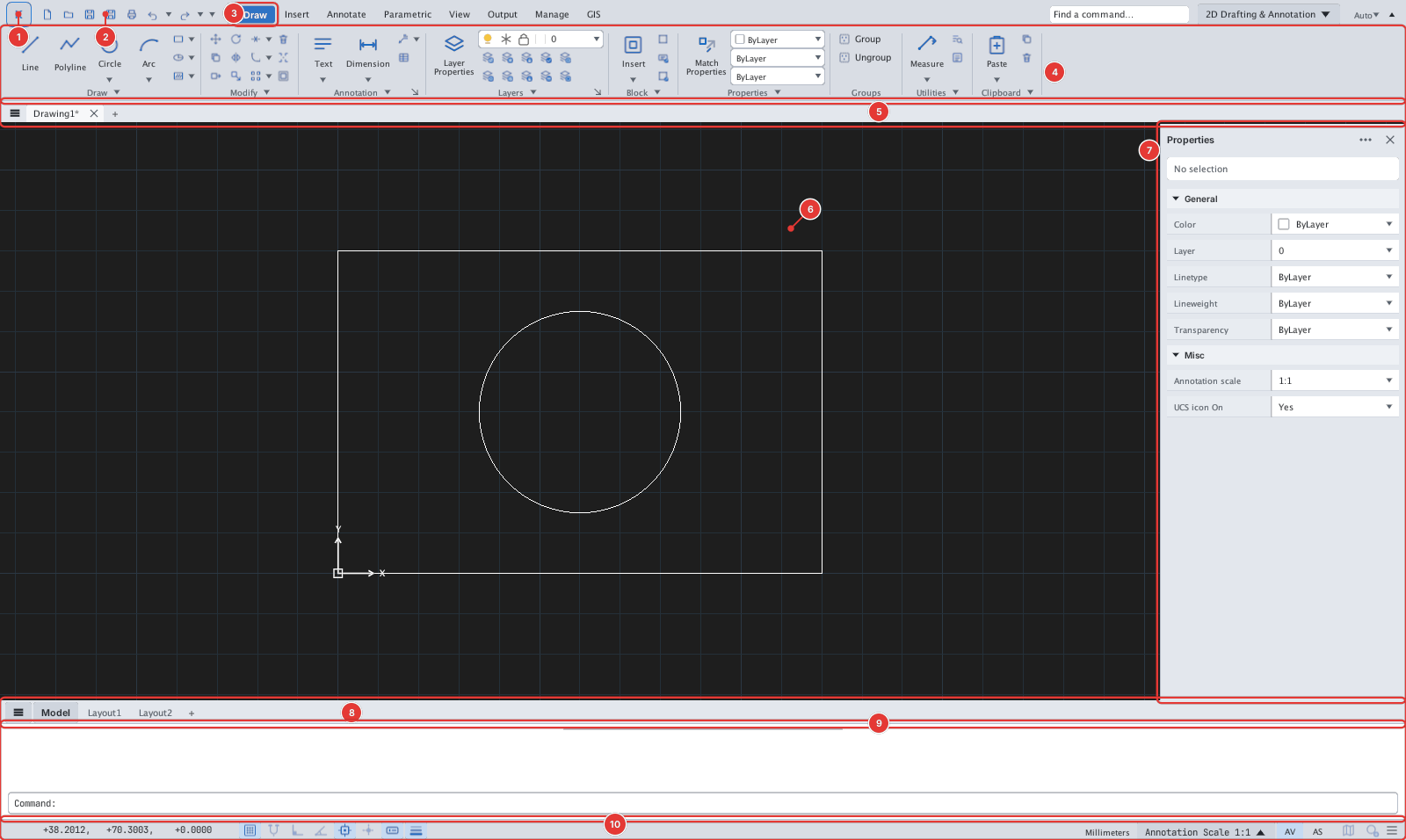
| Page | Area |
|---|---|
| K menu and QAT | ①②, command search, workspace |
| Ribbon | ③④: tabs, panels, split buttons, slide-outs, density, collapsing |
| Canvas and the UCS icon | ⑥ |
| Drawing tabs | ⑤ |
| Model / Layout tabs | ⑧ |
| Command line | ⑨ |
| Status bar | ⑩ |
| Properties palette | ⑦ |
| Palettes and docking | Properties, Tool Palettes, DesignCenter… |
| Right-click menus | Canvas, tabs, command line |
| Light / dark theme | Font & Theme |
| Options | Program options |