Canvas and the UCS icon
Location: the dark area in the middle of the window
The canvas is where you draw. A dark background is the default.
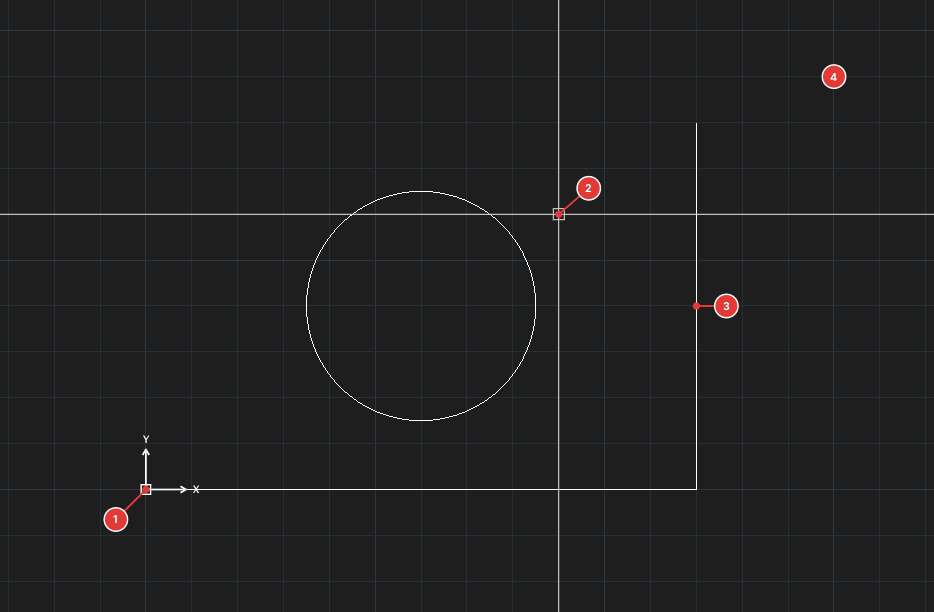
- Crosshair: two long lines along the axes; set its size in Options ▸ Display ▸ Crosshair size.
- UCS icon: shows the axis directions of the user coordinate system; toggle it with the
UCSICONcommand or the UCS icon On property in the Properties palette (UCS details are in chapter 4). - Grid: toggle it with the Grid button (F7) on the status bar.
- Coordinates: the three numbers at the left of the status bar are the cursor's X, Y, Z.
- Selecting: click an object; click two corners for a box — see Selecting objects.