Properties palette
Ribbon: View ▸ Palettes ▸ PropertiesCommand: PROPERTIES
The Properties palette shows and edits the properties of the selected objects. It is docked on the right of the window by default.
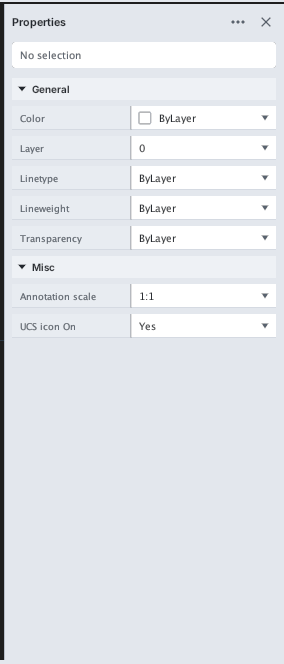
One object
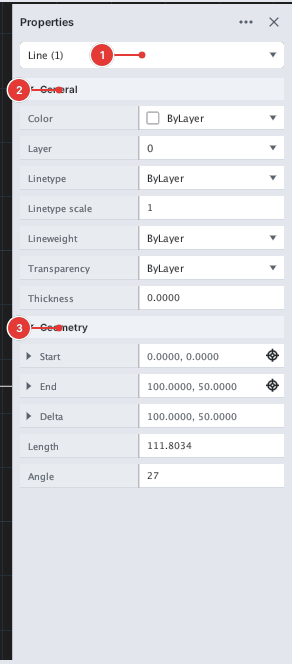
Select one object: the top box [[1]] names its type (for example Circle (1)); properties are arranged in collapsible groups: General [[2]] (color, layer…), Geometry [[3]] (coordinates and sizes specific to that type). Change a value in its field and press Enter.
Several objects
When you select several types, the top box reads All (3); only the common properties are shown. Open the box [[1]] to filter by type — only objects of that type are edited.
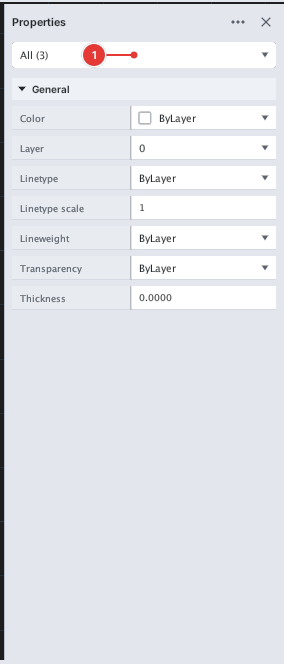
All (3) 1.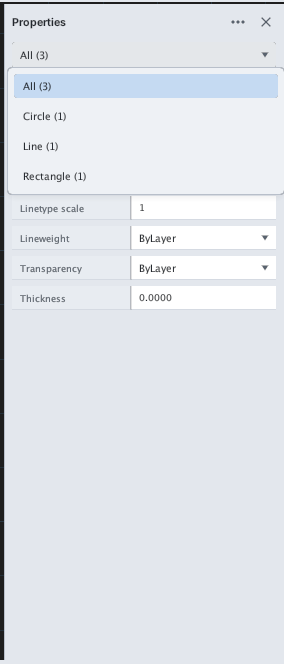
Placing the palette
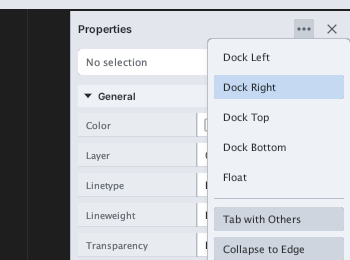
The ⋯ button on the title bar opens a menu: Dock Left / Right / Top / Bottom, Float, Tab with Others, Collapse to Edge. ✕ closes the palette.