8. Annotation
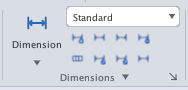
The annotation commands are on the Annotate tab: text, dimensions, leaders, tables, hatching and annotation scale. One command per page.
| Command | Alias | Use it to |
|---|---|---|
| TEXT | DT | Single-line text typed directly on the drawing |
| MTEXT | T, MT | Formatted multiline paragraph inside a box of fixed width |
| STYLE | ST | Manage text styles: font, height, width, oblique angle |
| TEXTEDIT | ED | Edit text; re-justify, scale, find and replace, spell check |
| DIMSTYLE | DDIM | Manage dimension styles: lines, arrows, text, units, tolerances |
| DIMLINEAR | DLI | Linear (horizontal / vertical) dimension |
| DIMALIGNED | DAL | Dimension parallel to a sloped edge |
| DIMANGULAR | DAN | Angle between two lines |
| DIMRADIUS | DRA | Radius of a circle or arc |
| DIMDIAMETER | DDI | Diameter of a circle or arc |
| DIMARC | DAR | Arc length |
| DIMORDINATE | DOR | X / Y coordinate of a point |
| DIMJOGGED | — | Jogged radius |
| DIMBASELINE | DBA | Dimensions sharing one origin |
| DIMCONTINUE | DCO | End-to-end dimension chain |
| DIMSPACE | DIMSP | Even spacing between baseline dimensions |
| DIMBREAK | — | Gap where a dimension line crosses another object |
| QDIM | — | A whole chain of dimensions from a few clicked points |
| DIMEDIT | DED | Change text, rotate text, oblique extension lines |
| DIMTEDIT | DIMTED | Move or re-align the dimension text |
| TOLERANCE, CENTERMARK… | — | Geometric tolerance, centre marks and lines, dimension overrides |
| MLEADER | MLD | Arrow with a multiline note |
| LEADER, QLEADER | LE | Classic leader (one arrow + text) |
| MLEADERSTYLE | MLS | Multileader styles: line type, arrow, content |
| TABLE | TB | Insert and edit tables |
| TABLESTYLE | — | Table styles: direction, Data / Header / Title cells |
| FIELD | — | Insert self-updating text (date, file name, area…) |
| HATCH | H, BH | Fill an area with a pattern: Predefined, User defined, Custom |
| GRADIENT | GD | One- or two-colour gradient fill |
| HATCHEDIT | HE | Change pattern, scale, angle and origin of an existing hatch |
| ANNOTATIVE, ANNOSCALE | — | Text and dimensions that follow the annotation scale |
UI note: dialogs (Hatch, Dimension Style, Table…) have a ✕ at the right of the title bar; Esc closes the topmost dialog.