DIMSTYLE — Dimension style
 Ribbon: Annotate ▸ Dimensions (nút mở rộng ↘)Command:
DIMSTYLEAlias: DDIM
A dimension style defines the look of every part of a dimension. Change the style and every dimension using it changes.
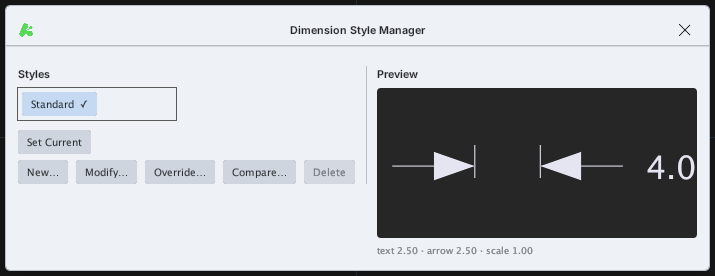
Click Modify… to open Modify Dimension Style, which has seven tabs. OK at the bottom applies the changes.
Lines tab
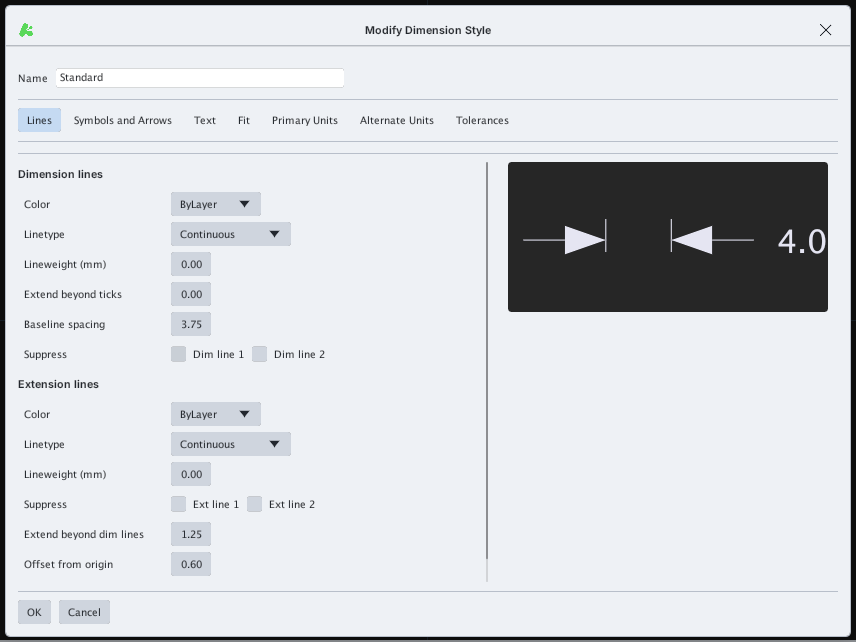
Dimension lines (colour, linetype, lineweight, extend beyond ticks, baseline spacing, suppress line 1 / 2) and Extension lines (colour, linetype, lineweight, suppress, extend beyond, offset from origin).
Symbols and Arrows tab
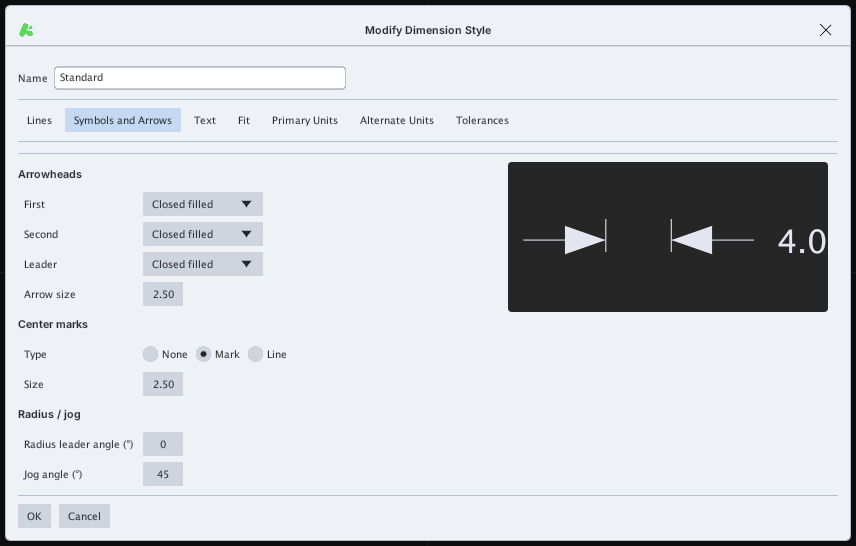
Arrowheads (First, Second, Leader, Arrow size), Center marks (None / Mark / Line, Size) and Radius / jog (radius leader angle, jog angle).
Text tab
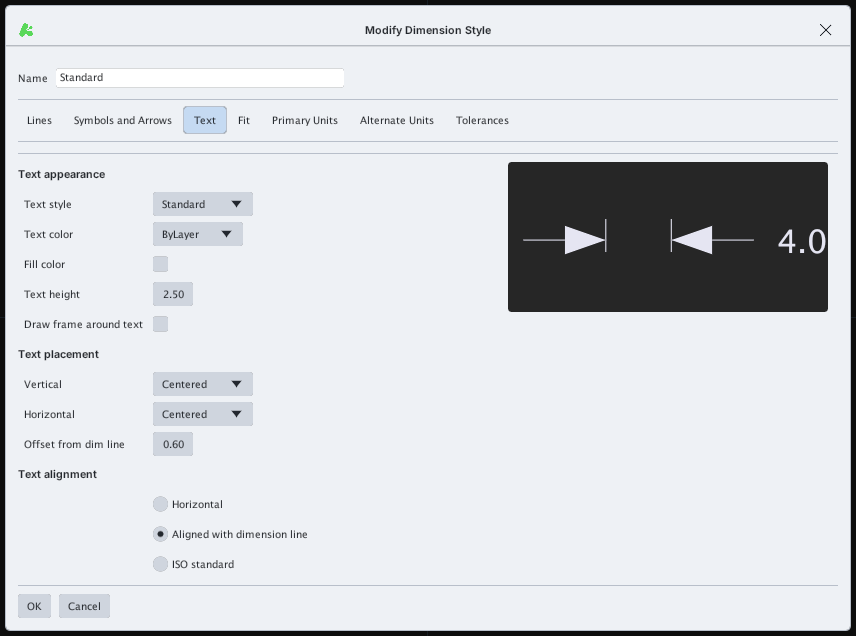
Text appearance (Text style, Text color, Fill color, Text height, frame around text), Text placement (Vertical, Horizontal, Offset from dim line) and Text alignment (Horizontal / Aligned with dimension line / ISO standard).
Fit tab
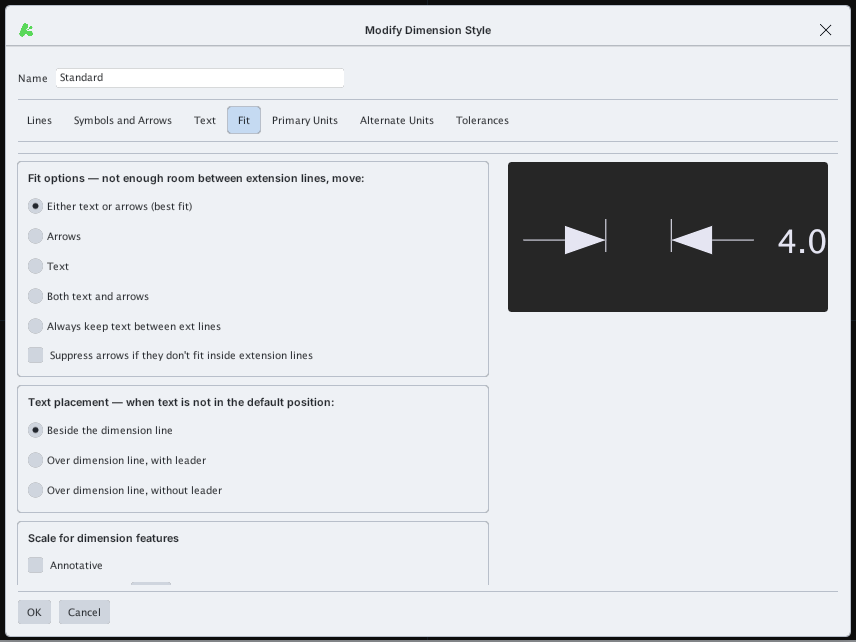
Fit options (what to move when there is not enough room between extension lines), Text placement when the text is not at its default position, and Scale for dimension features (Annotative or a scale factor).
Primary Units tab
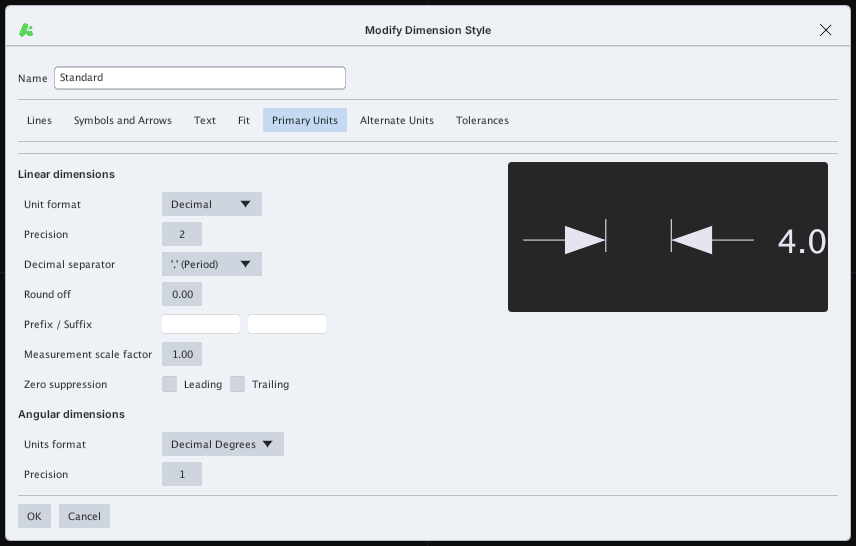
Linear dimensions (Unit format, Precision, Decimal separator, Round off, Prefix / Suffix, Measurement scale factor, Zero suppression) and Angular dimensions (Units format, Precision).
Alternate Units tab
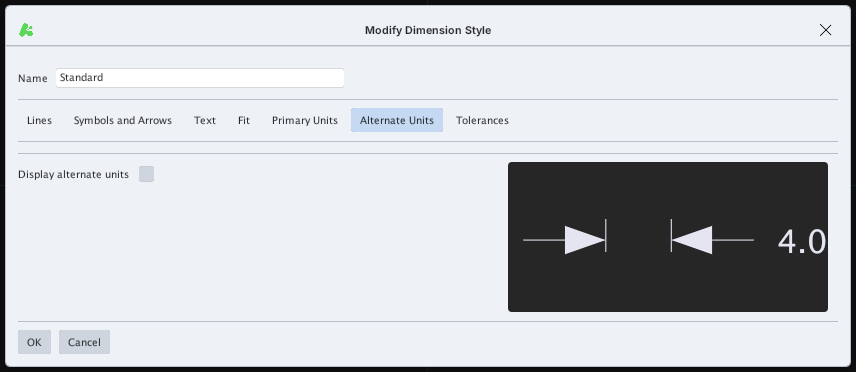
The Display alternate units box adds a secondary unit (for example inches next to mm).
Tolerances tab
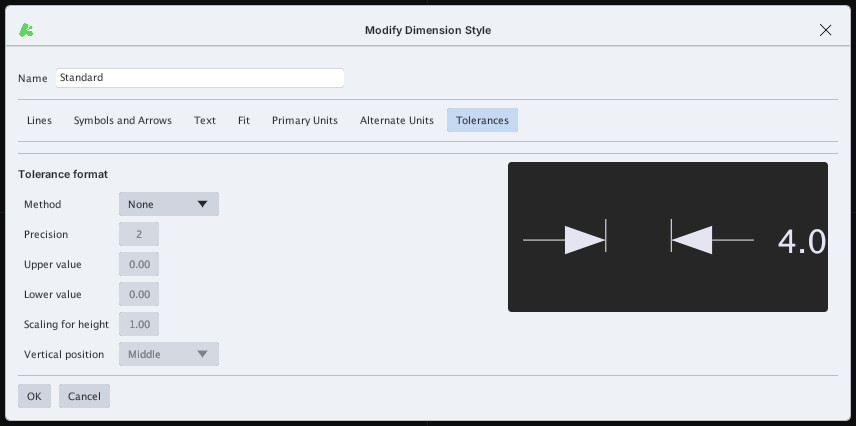
Tolerance format: Method (None, Symmetrical, Deviation, Limits, Basic), Precision, Upper / Lower value, Scaling for height, Vertical position.
Set Text height and Arrow size to suit the drawing before dimensioning (see DIMLINEAR).