DIMSTYLE — Kiểu kích thước
 Ribbon: Annotate ▸ Dimensions (nút mở rộng ↘)Lệnh:
DIMSTYLEAlias: DDIM
Kiểu kích thước quy định hình dạng mọi thành phần của một kích thước. Đổi kiểu thì mọi kích thước dùng kiểu đó đổi theo.
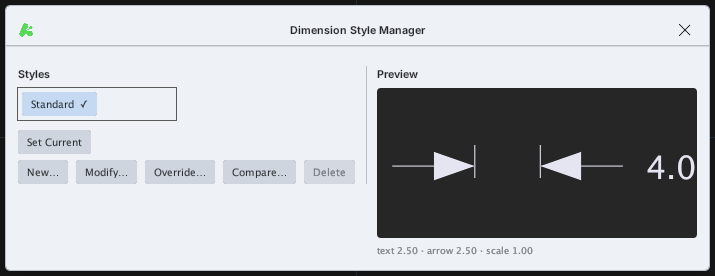
Bấm Modify… để mở hộp thoại Modify Dimension Style gồm 7 tab. Nút OK ở đáy hộp thoại áp dụng thay đổi.
Tab Lines
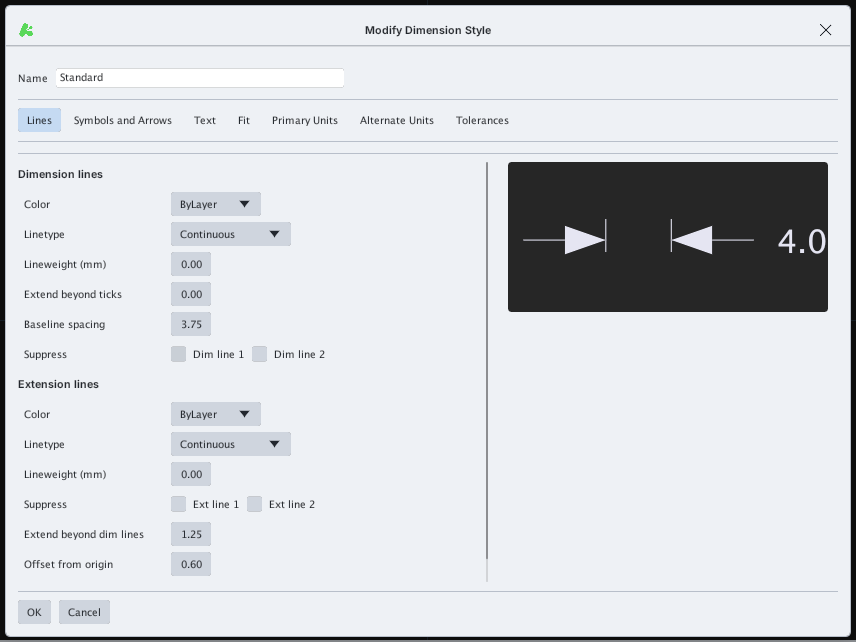
Dimension lines (màu, kiểu đường, độ dày, vượt ra ngoài, khoảng cách chuẩn, ẩn đường 1 / 2) và Extension lines (màu, kiểu đường, độ dày, ẩn, vượt quá, cách gốc).
Tab Symbols and Arrows
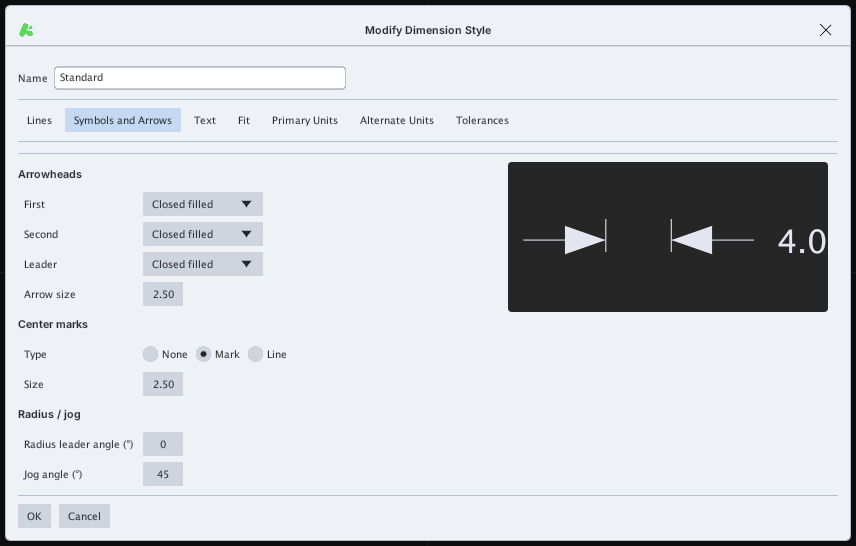
Arrowheads (First, Second, Leader, Arrow size), Center marks (None / Mark / Line, Size) và Radius / jog (góc đường dẫn bán kính, góc gấp khúc).
Tab Text
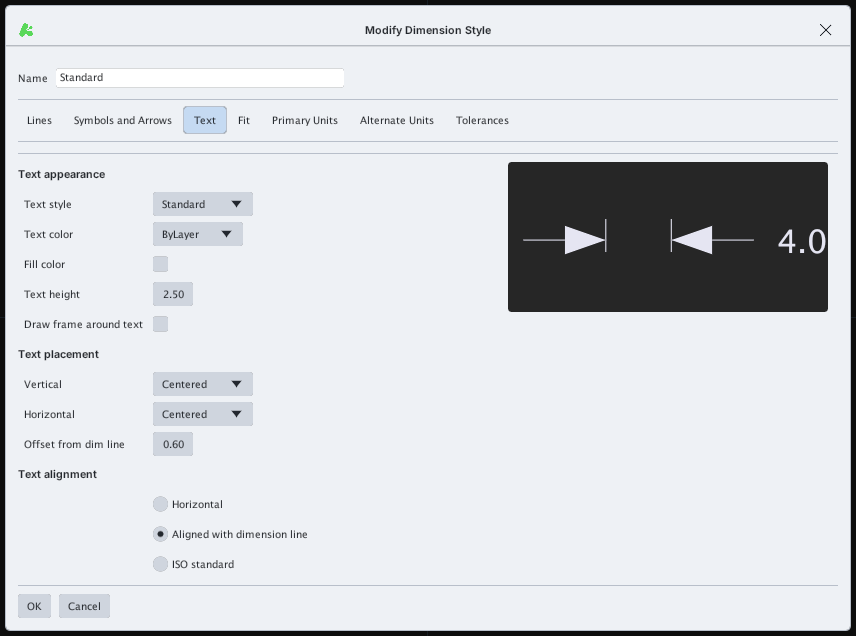
Text appearance (Text style, Text color, Fill color, Text height, khung quanh chữ), Text placement (Vertical, Horizontal, Offset from dim line) và Text alignment (Horizontal / Aligned with dimension line / ISO standard).
Tab Fit
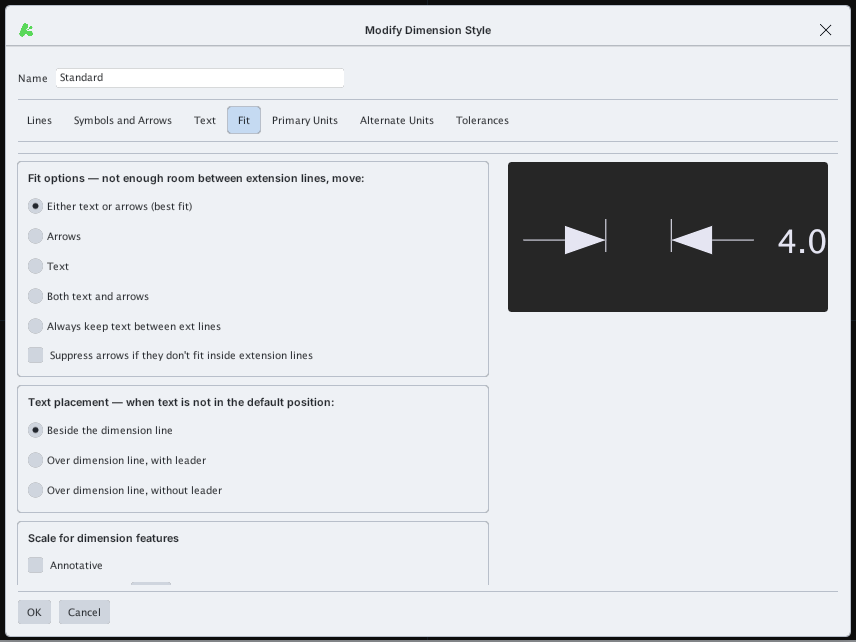
Fit options (khi không đủ chỗ giữa hai đường gióng: dời chữ hay mũi tên), Text placement khi chữ không ở vị trí mặc định, và Scale for dimension features (Annotative hoặc hệ số tỉ lệ).
Tab Primary Units
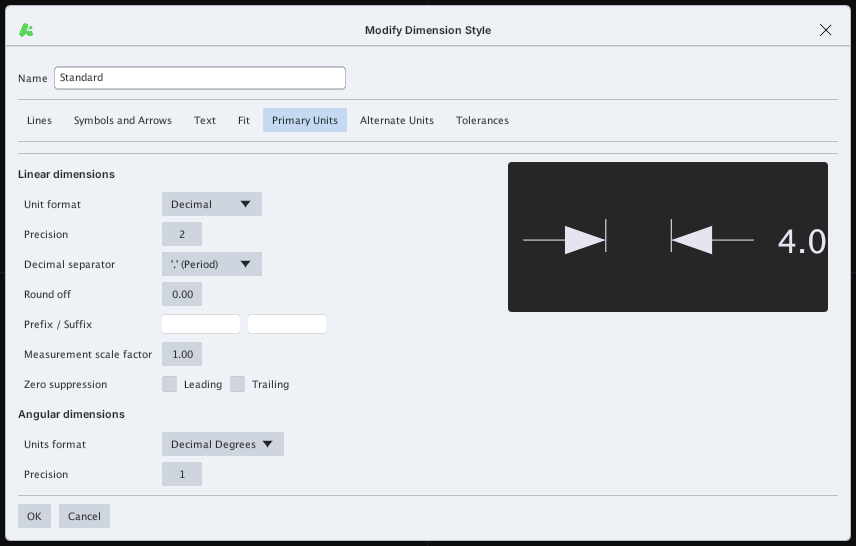
Linear dimensions (Unit format, Precision, Decimal separator, Round off, Prefix / Suffix, Measurement scale factor, Zero suppression) và Angular dimensions (Units format, Precision).
Tab Alternate Units
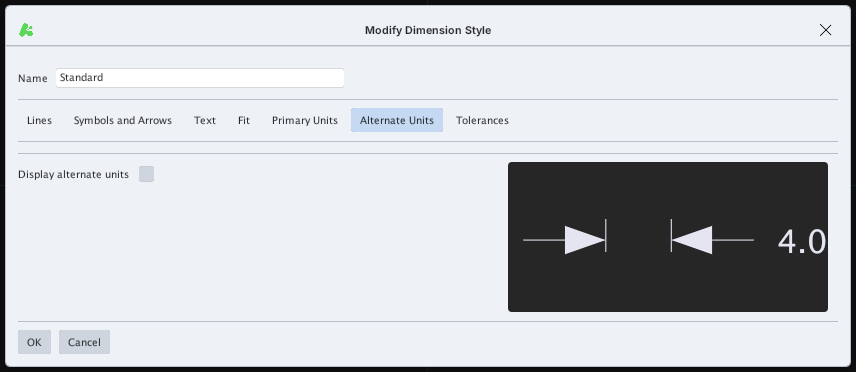
Ô Display alternate units bật hiển thị thêm đơn vị phụ (ví dụ inch kèm mm).
Tab Tolerances
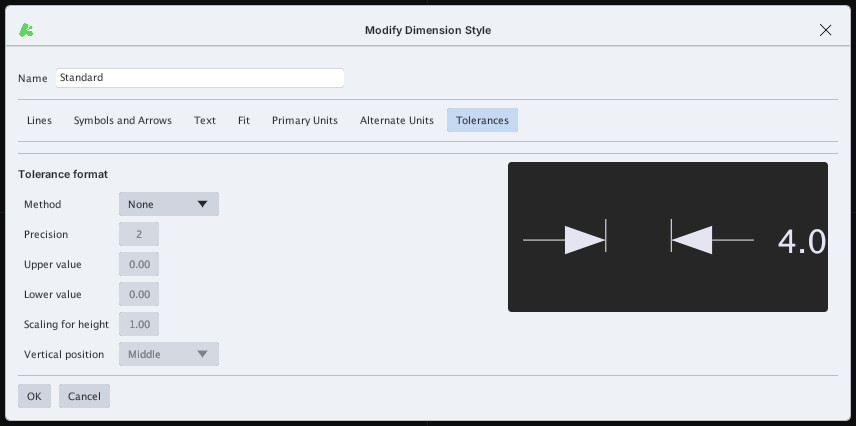
Tolerance format: Method (None, Symmetrical, Deviation, Limits, Basic), Precision, Upper / Lower value, Scaling for height, Vertical position.
Hãy đặt Text height và Arrow size hợp với bản vẽ trước khi ghi kích thước (xem DIMLINEAR).