DIMLINEAR — Linear dimension
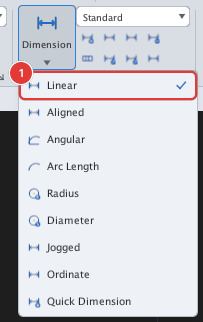
 Ribbon: Annotate ▸ Dimensions ▸ Dimension ▸ LinearCommand:
DIMLINEARAlias: DLI
DIMLINEAR measures the horizontal or vertical distance between two points. Use it for lengths, widths and hole spacing.
Before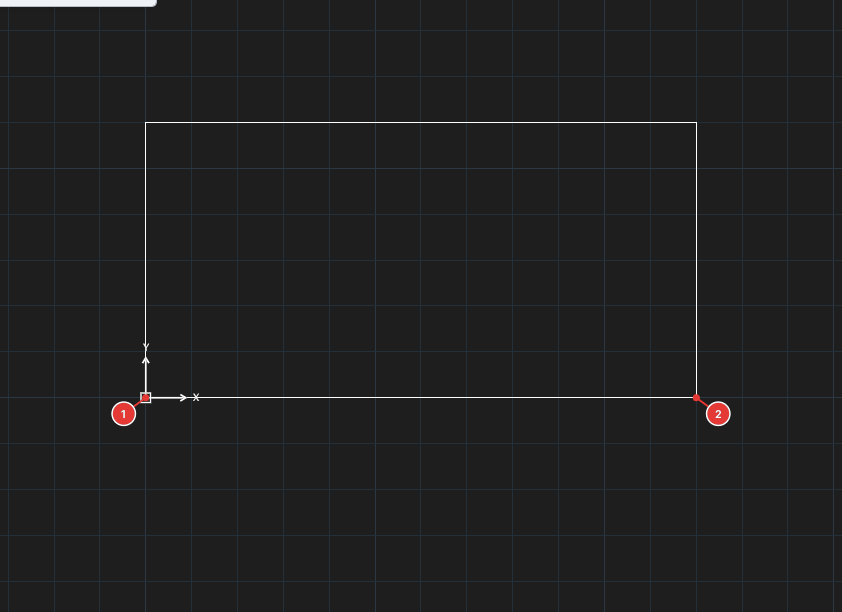
→
After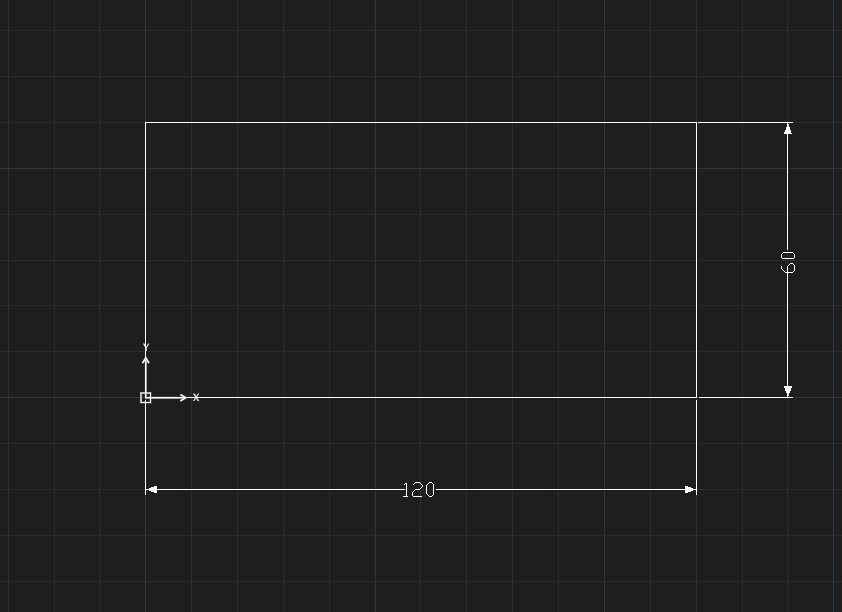
Steps
- Click Linear, or type
DLIand press Enter. - The command line asks
Specify first extension line origin or <select object>:. Click the first point 1 (Endpoint snap works as usual). Specify second extension line origin:— click the second point 2.Specify dimension line location or [Mtext/Text/Angle/Horizontal/Vertical/Rotated]:— move to where the dimension line should go 3 and click.
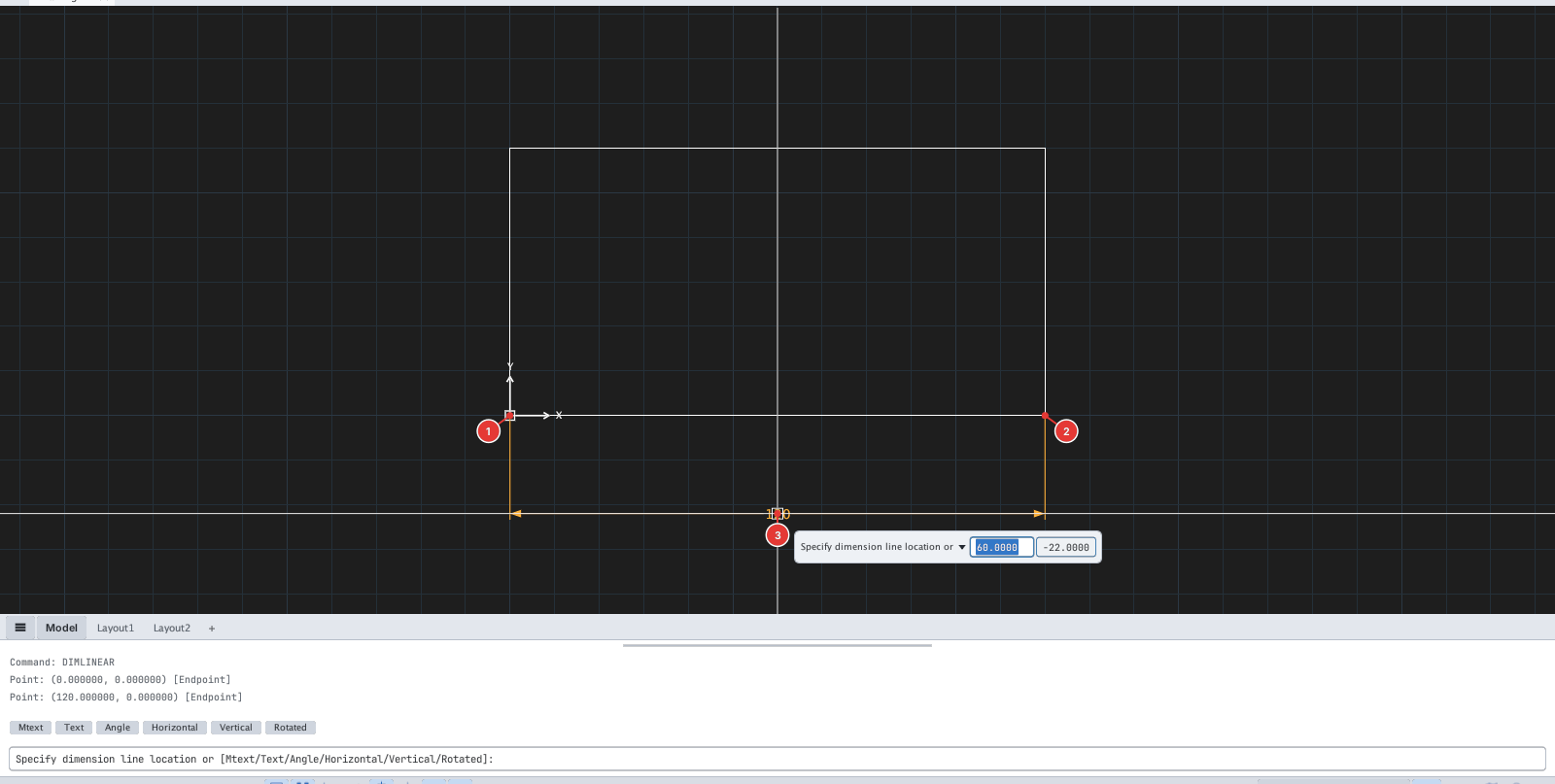
Horizontal or vertical? KufCad decides from where you drag: above or below the two points gives a horizontal dimension, left or right gives a vertical one (see the 60 dimension in Figure 8.2).
Options
- Enter at the first prompt →
Select object to dimension:— click a line, arc, polyline segment (its two ends are measured) or circle (its diameter, horizontal or vertical depending on where you place the dimension line). - Mtext / Text (
M/T) →Enter dimension text <measured value>:— type replacement text;<>inserts the measured value (e.g.L=<>); Enter keeps the measured value. - Angle (
A) →Specify angle of dimension text:— the angle of the dimension text. - Horizontal / Vertical (
H/V) — force a horizontal / vertical dimension instead of following the drag direction. - Rotated (
R) →Specify angle of dimension line <0>:— the dimension line runs at the typed angle and measures the projection of the two points on that direction.
Type an option while at step 4, then click the dimension line location as usual. DIMALIGNED offers Mtext / Text / Angle.
New drawings (millimetre units) use a metric Standard style: text height 2.5, arrow size 2.5, baseline spacing 3.75 — like AutoCAD's acadiso.dwt template. Change them in DIMSTYLE if needed.