LEADER and QLEADER
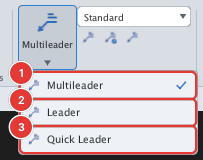
 Ribbon: Annotate ▸ Leaders ▸ Leader / Quick LeaderCommand:
LEADER, QLEADERAlias: LE
LEADER and QLEADER are the simple form: an arrow, a few bends and a line of text. They use the same prompts as MLEADER; LE is the alias of QLEADER.
- Type
LE, Enter. - Click the arrow point and the bend points, then press Enter (
Specify next point <Enter to finish>:). - Type the note (
Type leader text:).