POINT — Point and point style (PTYPE)
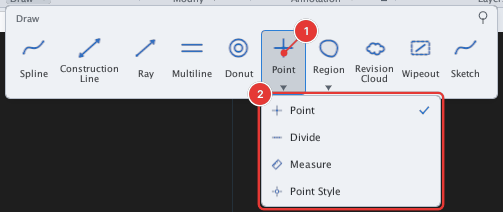
 Ribbon: Draw ▸ Draw ▸ (slide-out) Point (nút có mũi tên ▾: Point, Divide, Measure, Point Style)Command:
POINTAlias: PO
POINT creates a point (node) object, useful as a reference for the Node object snap. The Point button group holds four commands: Point, Divide, Measure and Point Style.
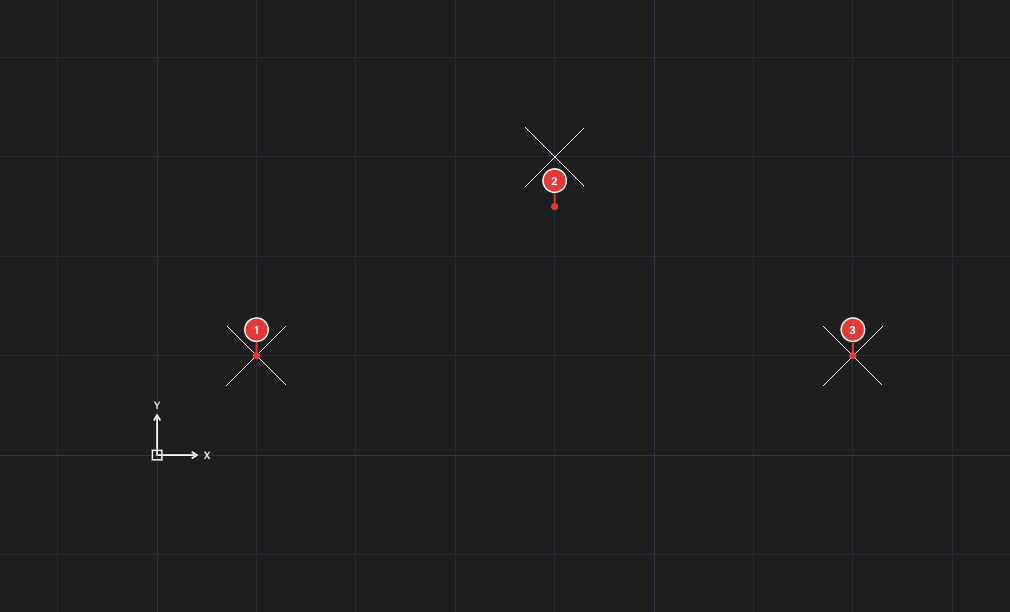
Placing points
- Click Point or type
PO, Enter. Prompt:Specify point:. - Click where the point goes 1. The command repeats until you press Esc.
Point style and size (PTYPE)
By default a point is only a tiny dot, which is hard to see. Click Point Style (or type PTYPE) to open the Point Style dialog:
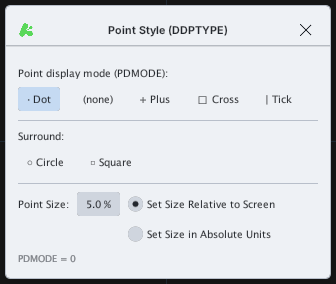
You can also set it with variables: PDMODE (style: 0 dot, 2 plus, 3 cross, 4 tick…; add 32 for a circle, 64 for a square) and PDSIZE (size).