ELLIPSE — Ellipse and elliptical arc
 Ribbon: Draw ▸ Draw ▸ Ellipse (nút có mũi tên ▾)Command:
ELLIPSEAlias: EL
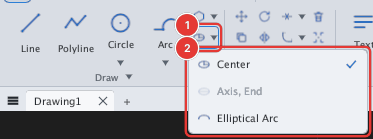
The Ellipse button sits in a small group; its ▾ arrow opens the list Center, Axis, End (greyed — not usable as a separate entry, but the plain ELLIPSE command already draws by axis, see below) and Elliptical Arc.
By axis (Axis, End)
First prompt of ELLIPSE: Specify axis endpoint of ellipse or [Arc/Center]:
- Click the first end of the axis 1.
- Click the other end of the axis 2 (
Specify other endpoint of axis:). - Give the other semi-axis: click a point 3 or type a distance (
Specify minor axis distance:).
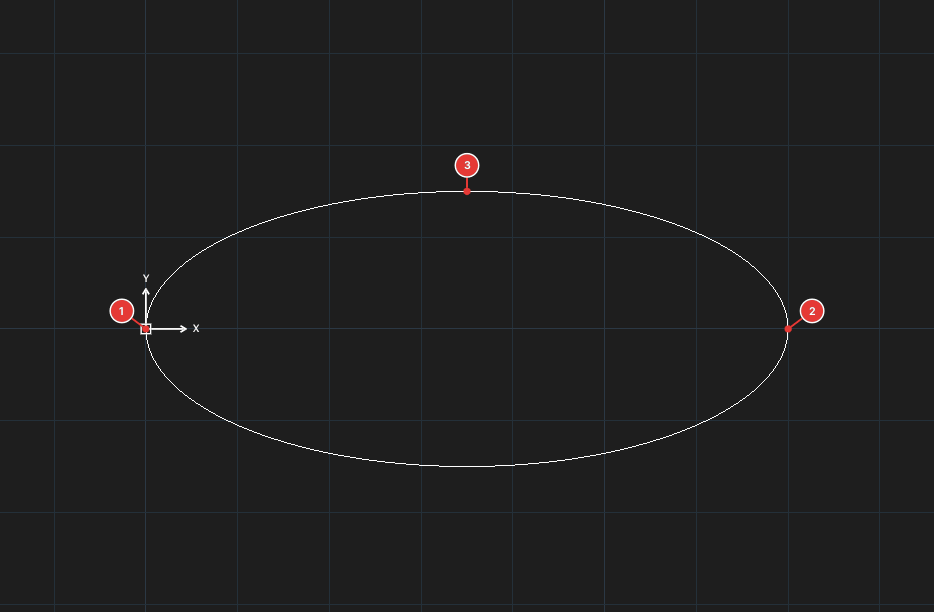
EL, 0,0, 70,0, 15.By centre (Center)
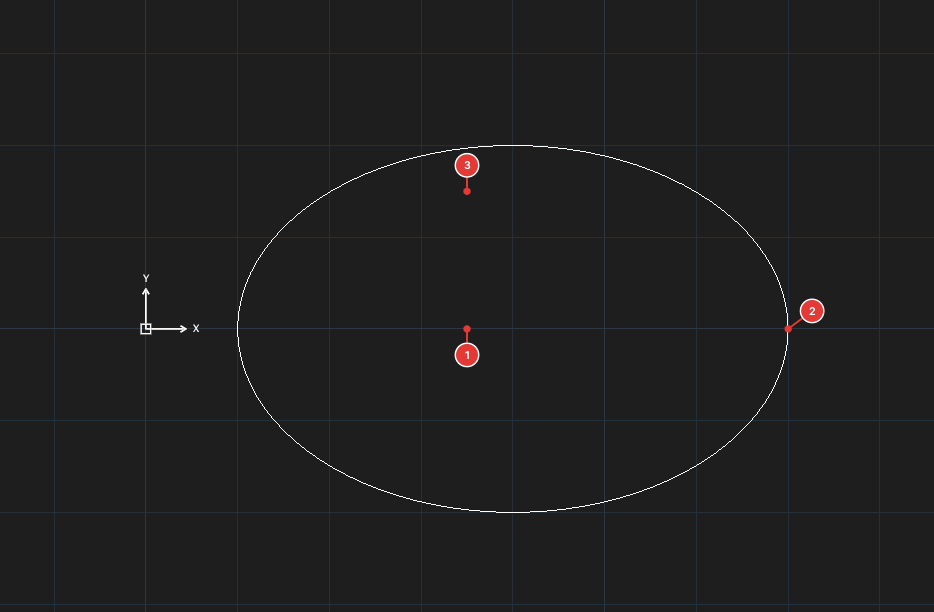
Type C at the first prompt (or choose Center). Click the centre 1, a major-axis end 2, then a point giving the minor semi-axis 3.
Elliptical arc
Type A at the first prompt (or choose Elliptical Arc). Define the ellipse as above, then enter the start angle and end angle (Specify start angle of elliptical arc:, Specify end angle of elliptical arc:). The arc runs counter-clockwise.
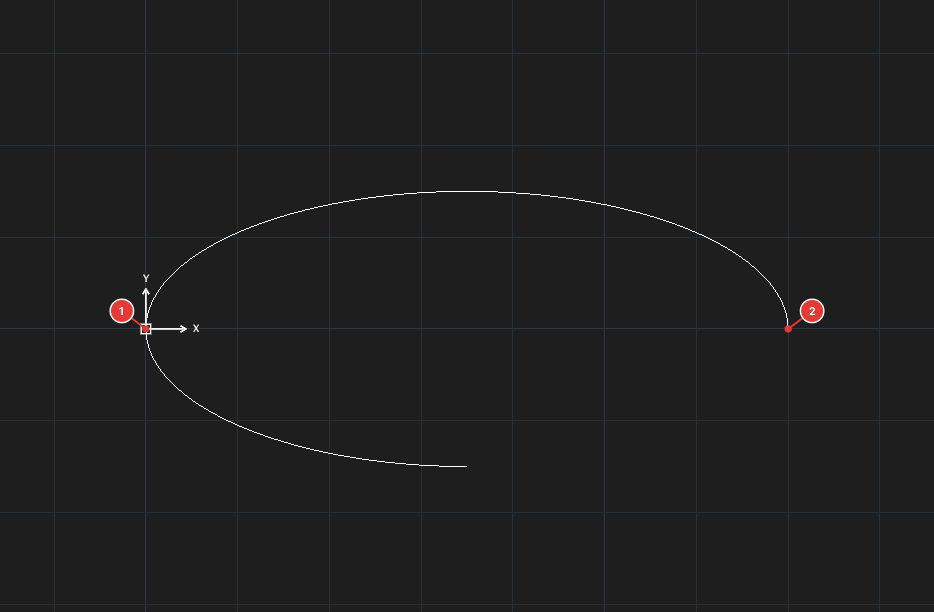
EL, A, 0,0, 70,0, 15, 0, 180.