HATCH — Fill areas with patterns (see chapter 8)
 Ribbon: Draw ▸ Draw ▸ Hatch (▾)Command:
HATCHAlias: H
HATCH fills an enclosed area with a hatch pattern, a solid colour or a gradient. The Hatch button is on the Draw panel (in a group with Gradient and Boundary), but its full use — patterns, scale, angle, islands, origin — is covered in chapter 8.
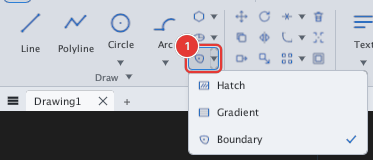
In short: click Hatch and follow the dialog / prompts described in chapter 8.
See also: BOUNDARY.