BOUNDARY — Create a boundary from an enclosed area
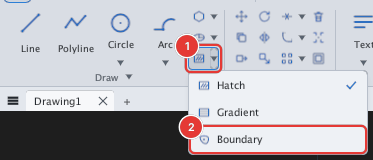
 Ribbon: Draw ▸ Draw ▸ Hatch (▾) ▸ BoundaryCommand:
BOUNDARYAlias: BO
BOUNDARY creates closed polylines following the outline of the enclosed area around a point you click, even when that area is formed by several separate objects (lines, arcs, circles…).
Steps
- Choose Boundary in the Hatch button's list, or type
BO, Enter. Prompt:BOUNDARY: pick an internal point (Esc to finish):. - Click a point inside the enclosed area 1. The outer boundary and the boundaries of "islands" inside (holes) are created as polylines.
- You can keep clicking other areas; press Esc to finish.
Before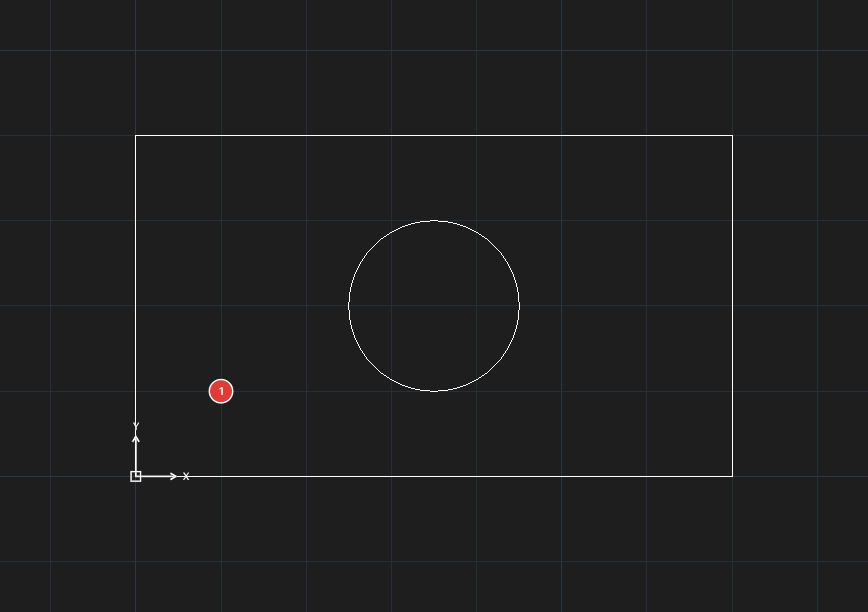
→
After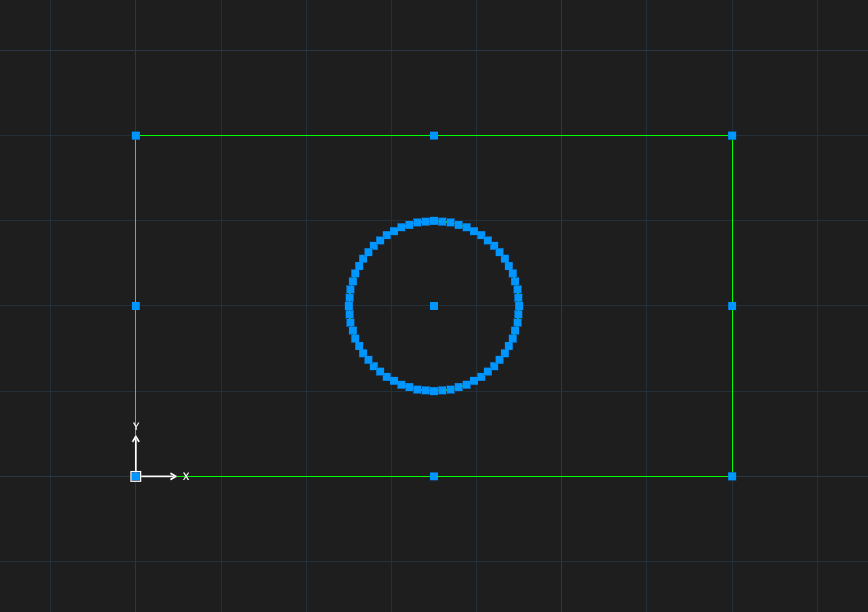
The area must be closed; if there is a gap no boundary is created.
Use BOUNDARY to get an outline for a hatch, to read perimeter / area with LIST, or to offset a whole area. Put the new boundary on its own layer to tell it apart.
See also: REGION. For hatching (HATCH) see chapter 8.