QSELECT — Quick select
 Ribbon: Draw ▸ Utilities ▸ Quick SelectCommand:
QSELECTAlias: QSE
QSELECT selects every object in the drawing that meets conditions you set: a kind of object, a colour, only the current layer. Use it when the drawing is large and clicking one by one is impractical.
How to use it
- Click Quick Select, or type
QSE(QSELECT), Enter. - Choose the conditions:
| Item | Meaning |
|---|---|
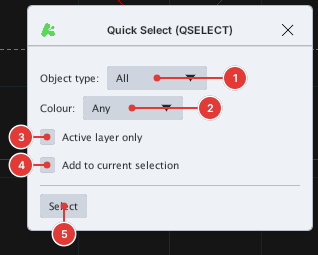
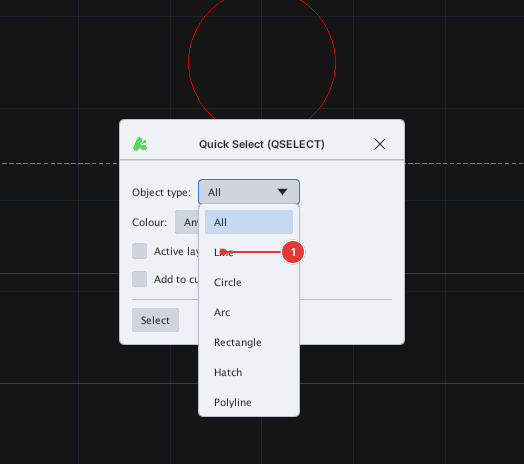
| Object type 1 | All or one kind: Line, Circle, Arc, Rectangle, Hatch, Polyline. |
| Colour 2 | Any or one colour: Red, Yellow, Green, Cyan, Blue, Magenta. A ByLayer colour counts as its layer's colour. |
| Active layer only 3 | Only consider objects on the current layer. |
| Add to current selection 4 | Add to the existing selection instead of replacing it. |
- Click Select 5. The dialog closes and the objects that meet the conditions are selected (with grips).
The dialog remembers the previous choices during the same session.
Notes
- More complex conditions (comparing values, several properties) are not available; combine QSELECT with Properties and SELECTSIMILAR.
- The selection can go straight into another command (ERASE, MOVE, CHPROP…).