SELECTSIMILAR — Select similar objects
 Ribbon: Draw ▸ Utilities ▸ Select SimilarCommand:
SELECTSIMILAR
SELECTSIMILAR adds every object of the same kind as the selected one: select one line, run the command and you get every line in the drawing. Handy for then changing layer or colour in bulk.
Before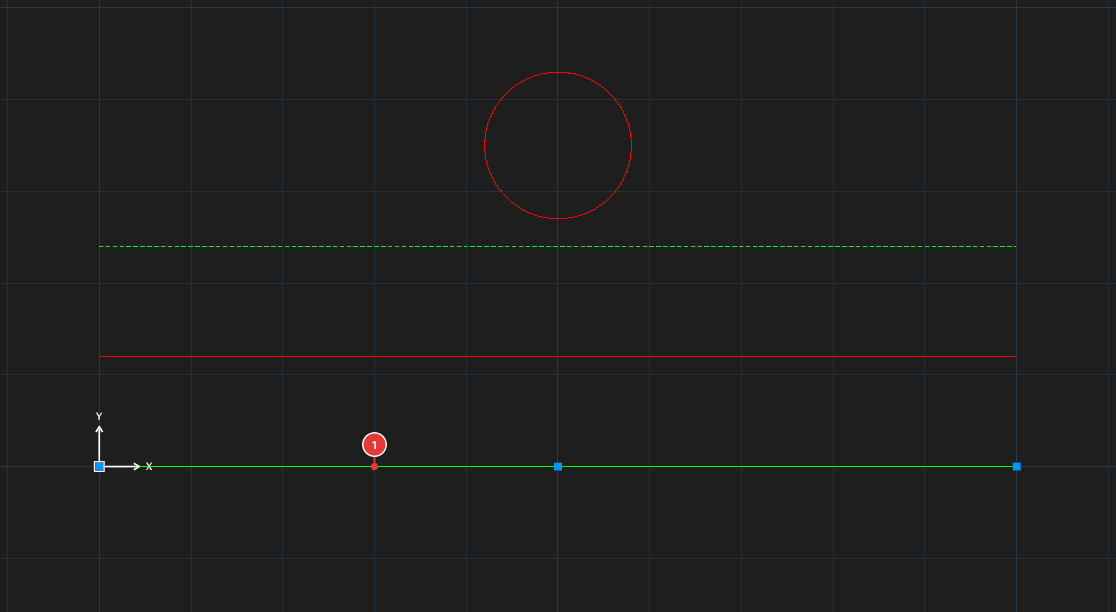
→
After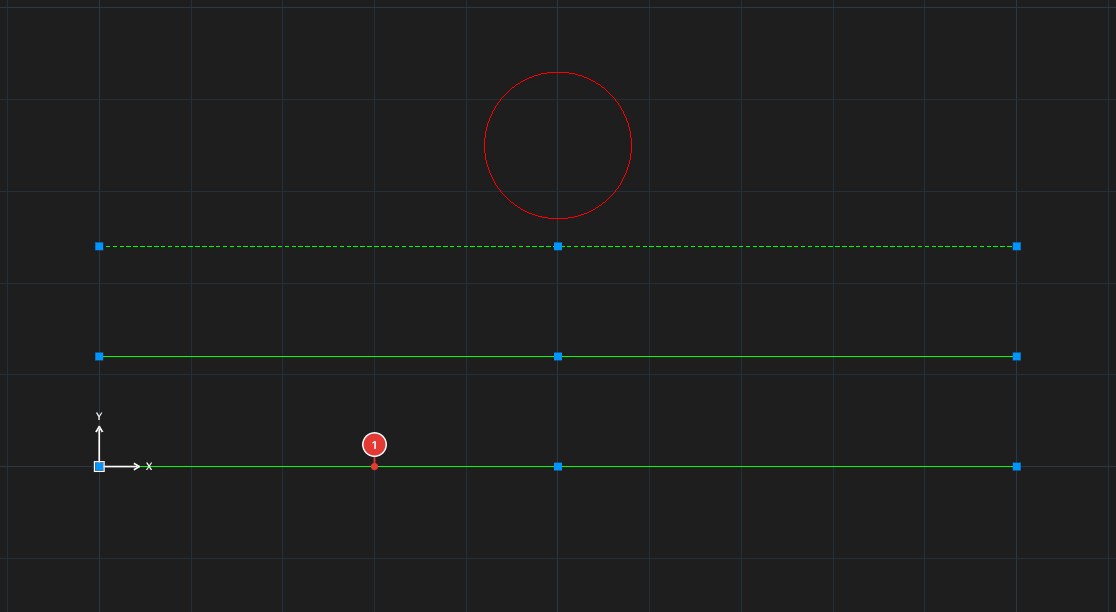
SELECTSIMILAR all three lines are selected (grips at the ends), even though they are on different layers; the circle is not.How to use it
- Click one model object 1.
- Click Select Similar, or type
SELECTSIMILAR, Enter. It selects at once every object of the same kind (lines with lines, circles with circles…); it asks nothing more. - Use that selection for the next command: for example the Properties palette to change the layer, or
CHPROP.
Notes
- The criterion at present is the kind of object; layer and colour are not considered. To filter by colour or layer use QSELECT.
- You must select the model object before running the command.