LINEWEIGHT — Lineweight
 Ribbon: Draw ▸ Properties ▸ Lineweight boxCommand:
LWEIGHT LWDISPLAYAlias: LW LINEWEIGHT
Lineweight is the thickness of a stroke when plotted (in mm): thick for outlines, thin for dimensions. On screen you can turn lineweight display (LWDISPLAY) on or off to preview them.
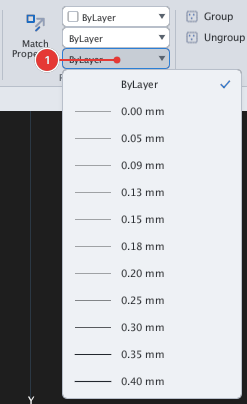
0.00 mm, 0.05 mm… in increasing order.Setting a lineweight
There are four places to set one:
- For a layer: the Lineweight column of the layer manager. Objects left ByLayer follow the layer — the recommended way.
- For selected objects: the Lineweight row of the Properties palette, or
CHPROPwithLW 0.5(CHPROP). - For objects you are about to draw: the Lineweight box on the ribbon's Properties panel, or the
LWEIGHTcommand — promptCurrent lineweight (mm, or ByLayer), type a number of mm (for example0.5) orByLayer. This is the value for objects drawn afterwards; it does not change existing objects (Properties panel). - A lineweight of
0.00 mmis the thinnest stroke the printer can draw.
Seeing lineweights on screen: LWDISPLAY
Type LWDISPLAY, Enter to turn lineweight display on / off (there is also a button on the status bar). When on, thicker strokes show their proportional thickness; when off, every stroke is one pixel. Each run of the command flips the state.
Before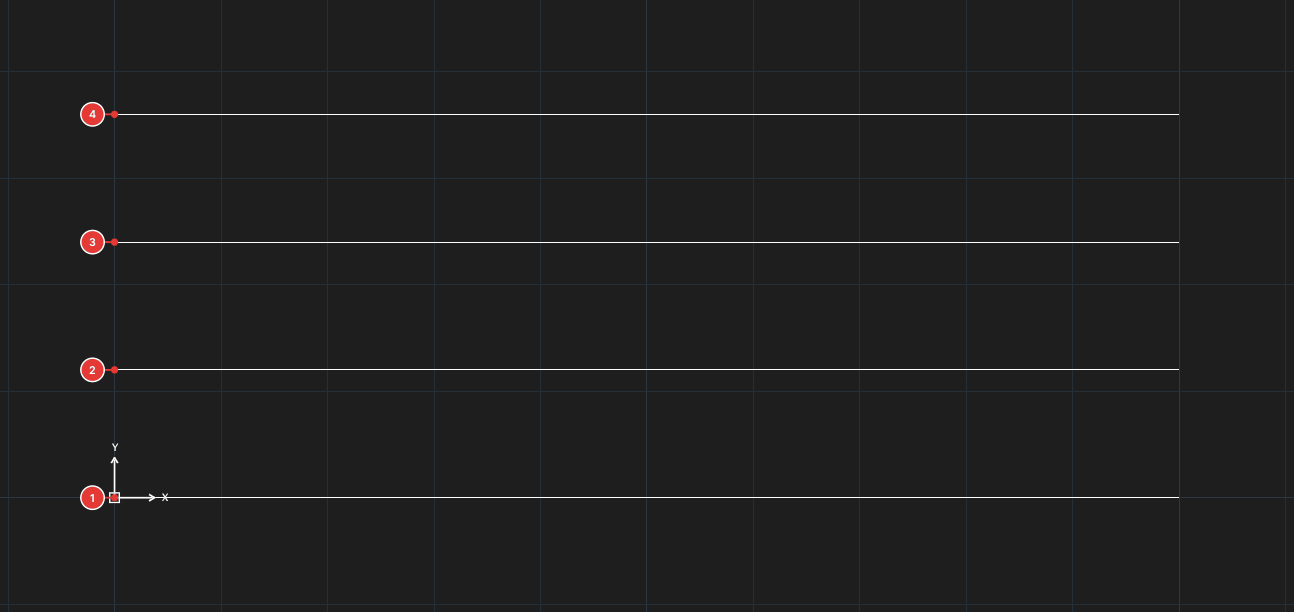
→
After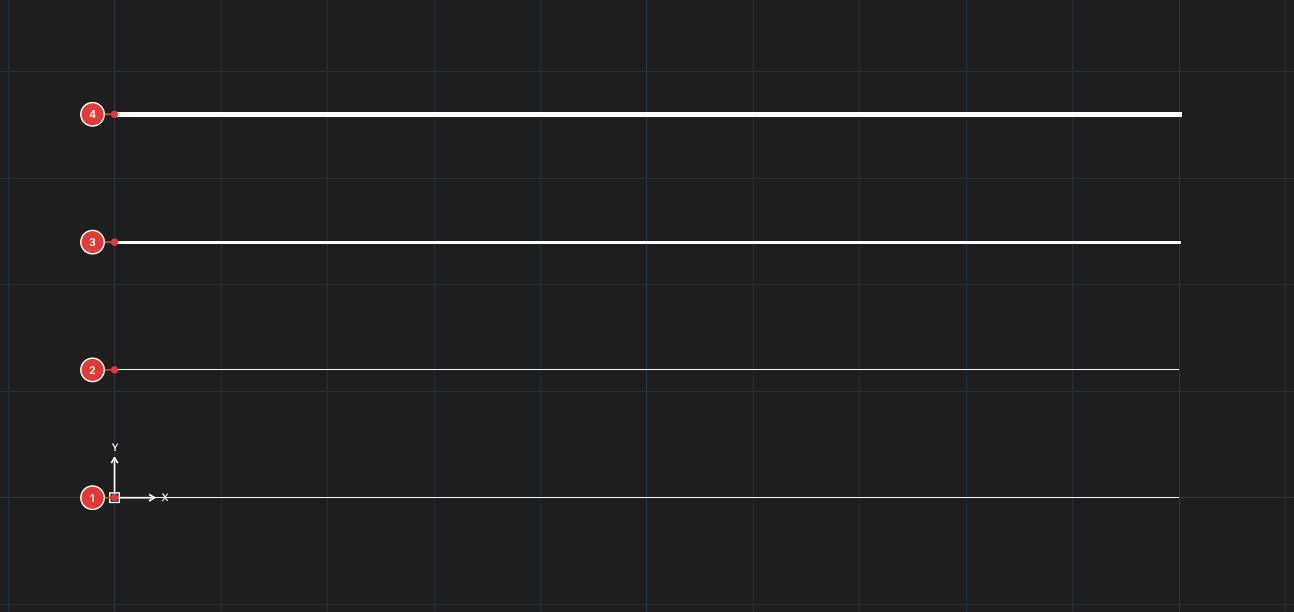
LWDISPLAY): they all look alike. On (the default in a new drawing): the 0.7 and 1.4 lines are clearly thicker.Notes
- Lineweight is mainly for plotting: the real size on paper follows the mm value, not the thickness shown on screen.
- Lineweight does not change when you zoom in or out.