UNITS — Units, angles and precision
UNITS (alias UN) opens the Drawing Units dialog: how lengths and angles are displayed in the drawing (the stored data does not change).
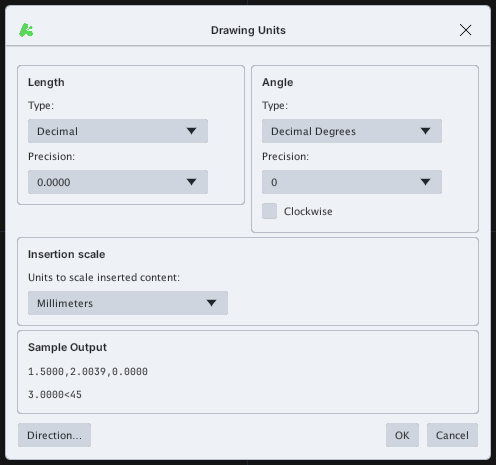
| Group | Item | Meaning |
|---|---|---|
| Length | Type | Length display format (default Decimal) |
| Precision | Number of decimals shown (default 0.0000) | |
| Angle | Type | Angle display format (default Decimal Degrees) |
| Precision | Angle precision (default 0) | |
| Clockwise | Tick to measure angles clockwise | |
| Insertion scale | Units to scale inserted content | The drawing's unit (default Millimeters) — used when inserting blocks / xrefs from a drawing with other units |
| Sample Output | Preview of the display: for example 1.5000,2.0039,0.0000 and 3.0000<45 |
The Direction… button sets the 0° direction (default East, the positive X axis). Click OK to apply, Cancel to discard.
Changing Precision only changes the number of displayed digits (status bar, DIST / LIST results…); coordinates stored in the drawing keep their full accuracy.