FROM, M2P and the .X .Y filters
Four special point tools, usable at any point prompt by typing their names.
FROM — a point offset from a reference
- At a point prompt, type
FROM, Enter. The command line asksBase point:. - Pick the reference point 1 (an object snap is best).
- The command line asks
<Offset>:. Type the offset relative to the reference (for example-20,15or@-20,15). The resulting point 2 is the one you need.
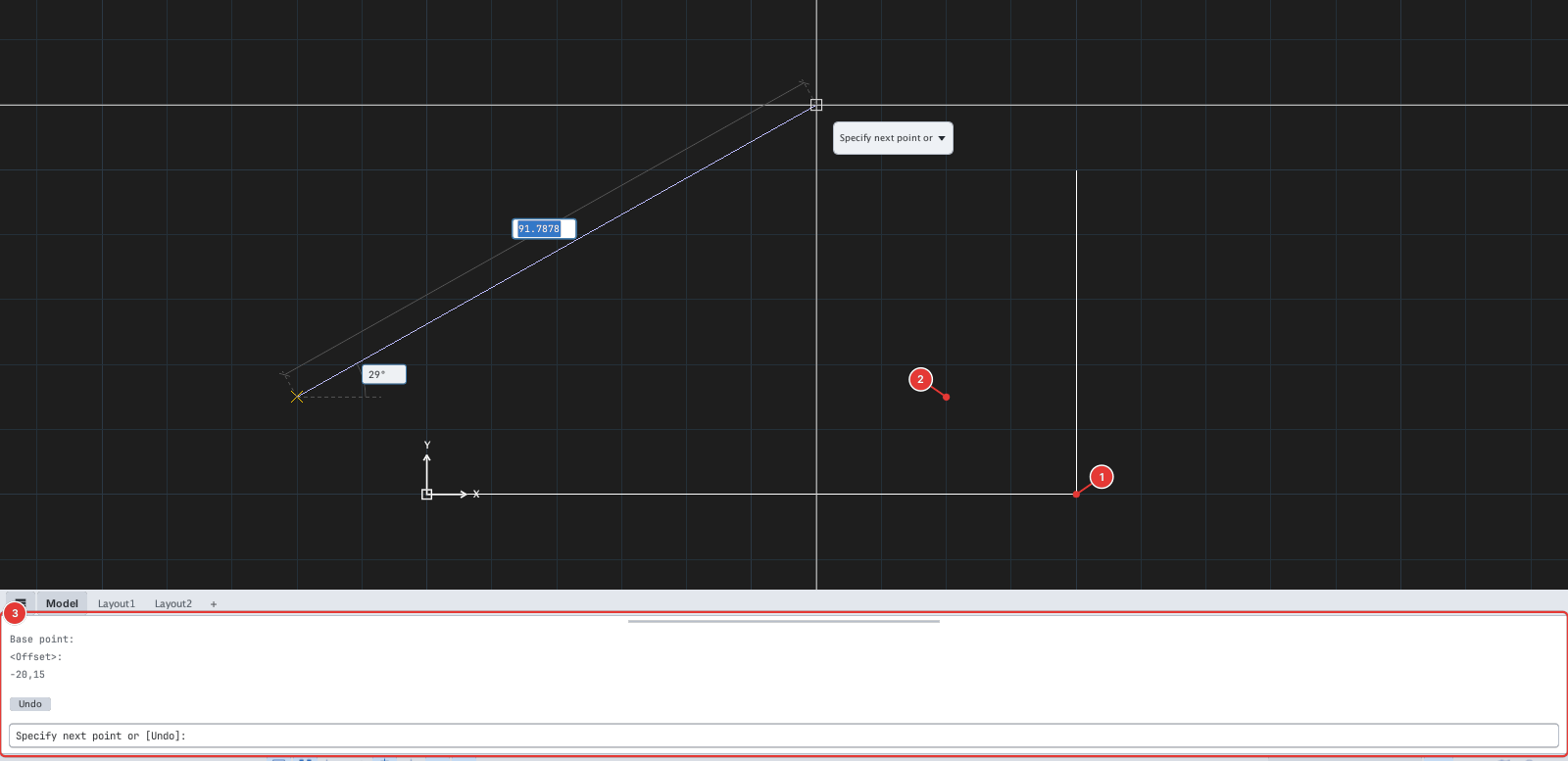
L, FROM, click the reference 1, type -20,15: the first point of the line lands at 2. The command line 3 logs each step.M2P (Mid Between 2 Points) — midpoint of any two points
Type M2P (or MTP). Pick the first point 1 and the second point 2 (First point of mid:, Second point of mid:); the resulting point 3 lies exactly halfway between them, even when no object is there.
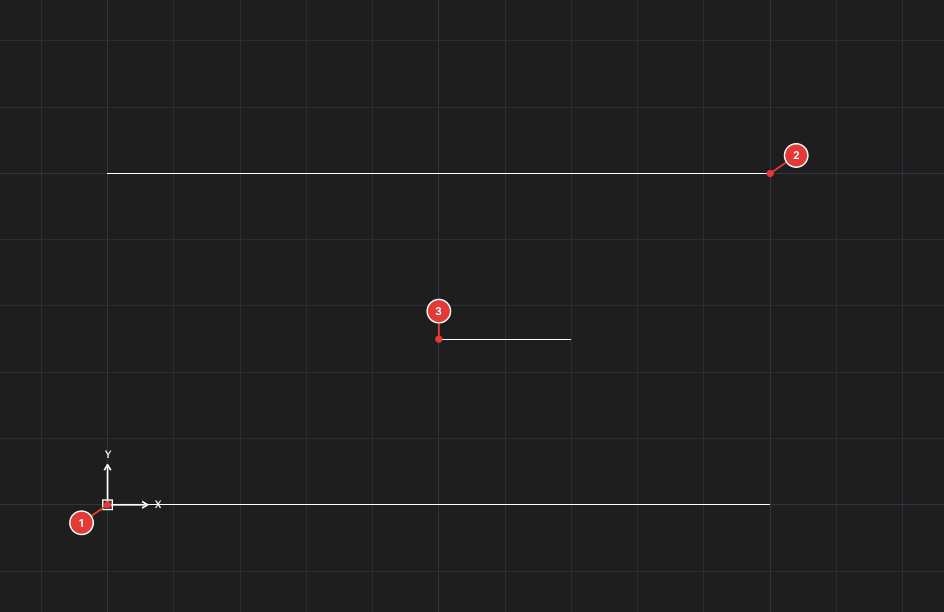
L, M2P, click 1 and 2: the first point of the line is the midpoint 3; then type 20,0 to draw a horizontal segment of 20.The .X and .Y filters
Take one coordinate from one point and the other coordinate from another:
- Type
.X(take X). The command line shows.X of: pick the point for the X coordinate 1. - The command line shows
(need Y):: pick the point for the Y coordinate 2. - The resulting point 3 has X from step 1 and Y from step 2.
With .Y the order is reversed (pick Y first, then X).
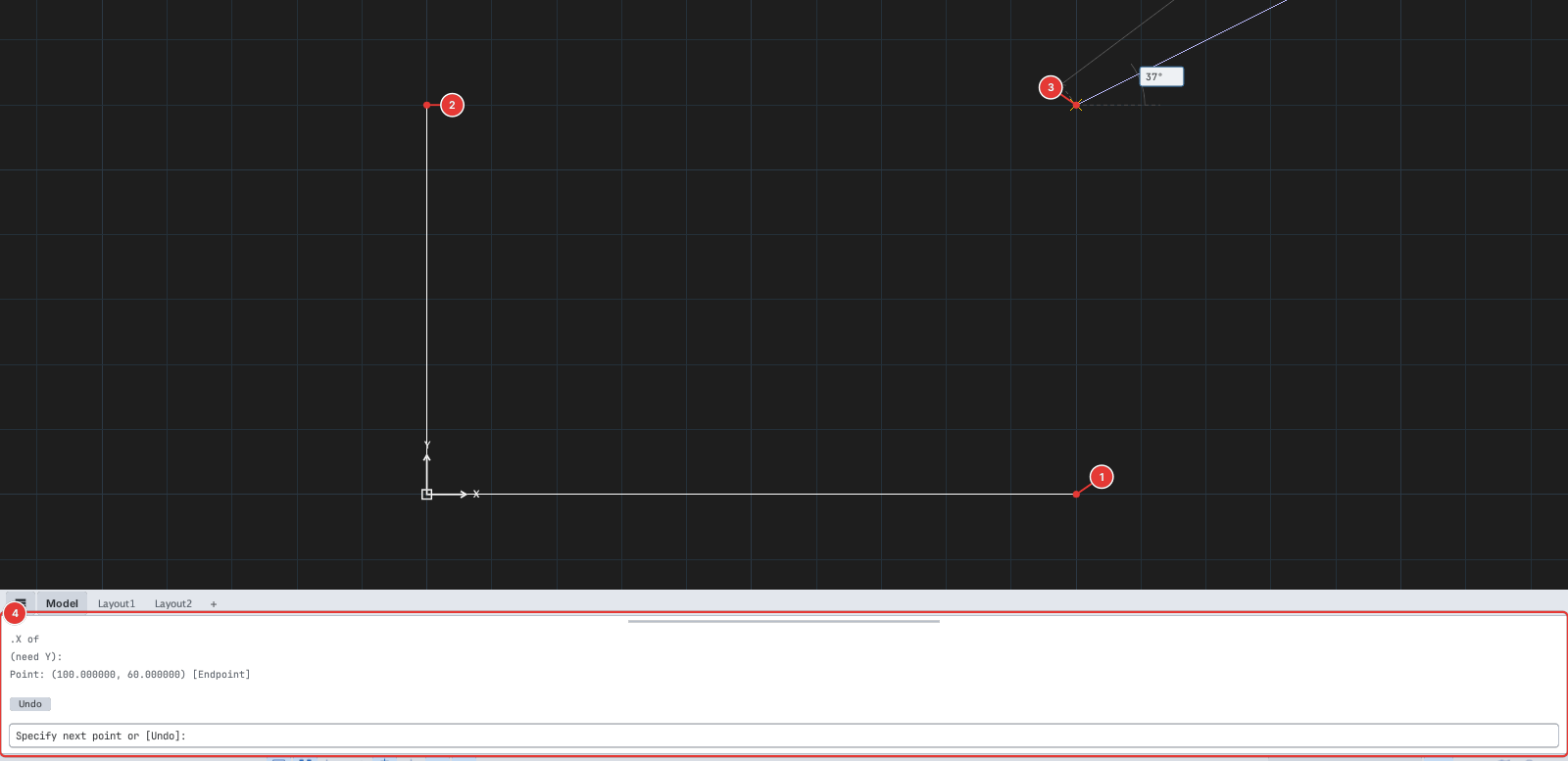
L, .X, click 1 then 2: the resulting point 3 has the X of 1 and the Y of 2. The command line 4 shows .X of and (need Y):.Only .X and .Y have been checked for this manual.