Plot styles (CTB / STB)
Ribbon: Plot dialog ▸ Plot style table ▸ Edit…Command: PLOTAlias: STYLESMANAGER
A plot style table decides how objects come out on paper: which colour, how thick, which linetype, how much screening. There are two kinds, compatible with AutoCAD:
- CTB (color-dependent) — one "style" per object colour (
Color_1…Color_255): every red line plots the same way. - STB (named) — named styles (
Normal,Thick…) assigned to objects or layers.
KufCad installs three tables in ~/.kufcad/plotstyles: acad.ctb (objects unchanged), monochrome.ctb (every colour plots black) and acad.stb.
Using a table when plotting
- Open the Plot dialog, in the Colors & lineweights section click the Style table box 1 and pick a table.
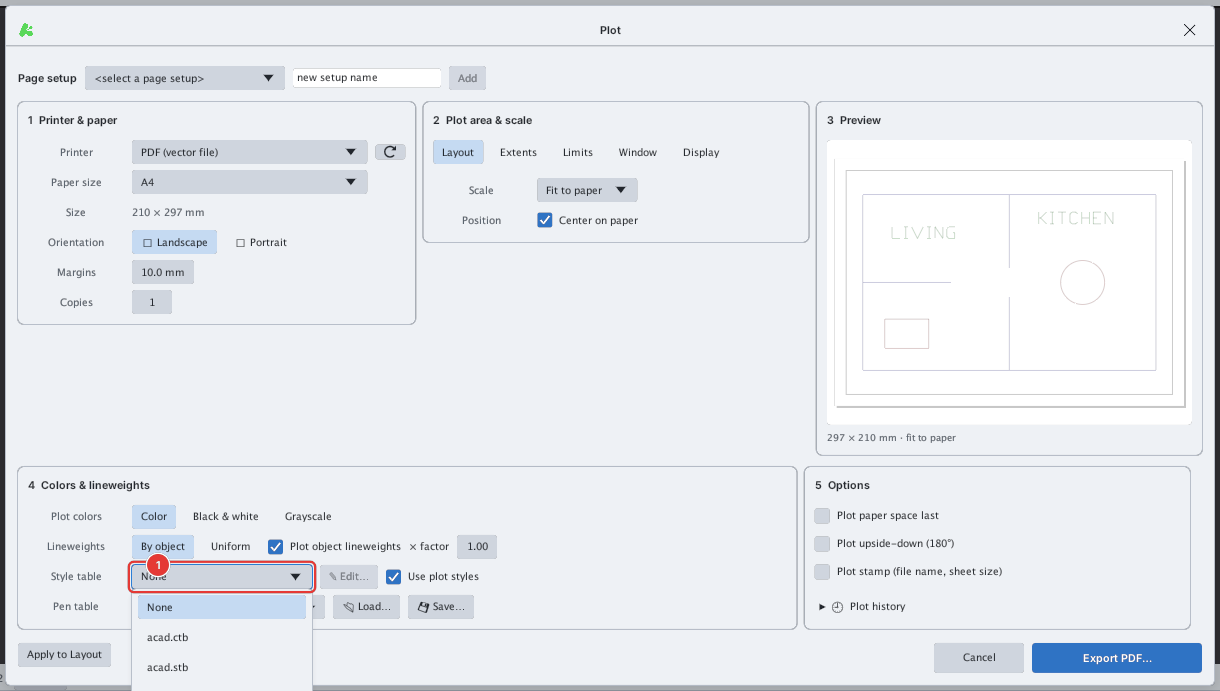
None, acad.ctb, acad.stb, monochrome.ctb.- To set lineweights by colour without a table file: turn on Pens per color and pick a set from Standard sets ▾ 1; the pen table 2 lists each colour with its plot colour and lineweight, editable row by row.
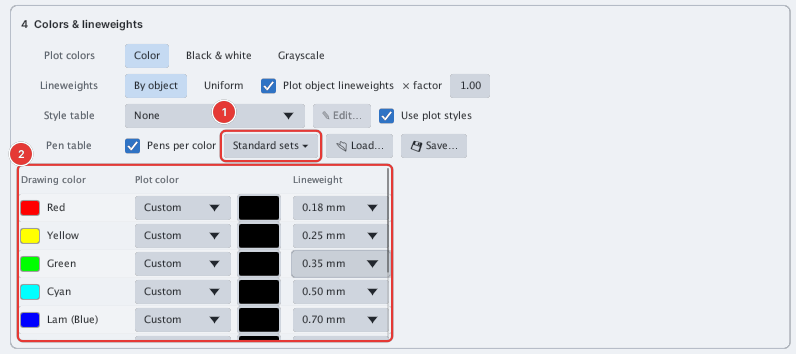
- Click Plot to PDF…. You can edit any row of the pen table right in the dialog; Defaults restores the standard 7-colour table, Save .ctb… saves the pen table to a file, Load .ctb… loads a
.ctbfile.
Editing a table: the Plot Style Table Editor
Click Edit… (next to the style table box). The dialog has three tabs:
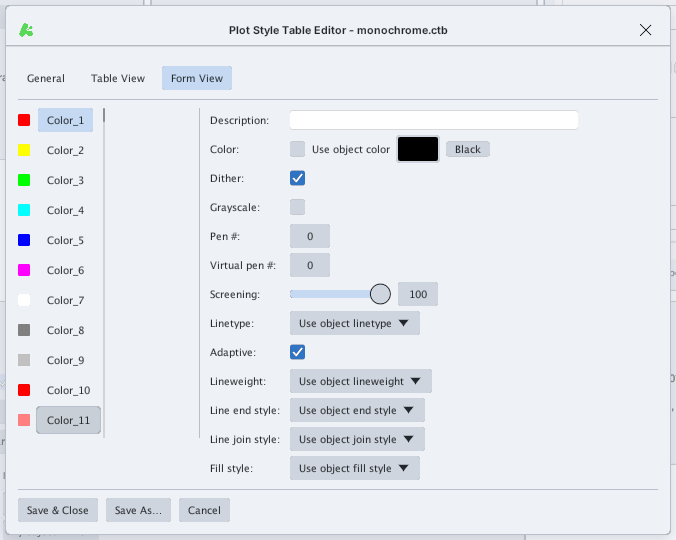
| Tab | Content |
|---|---|
| General | Table type (CTB or STB), description, and the global scale factor (Apply global scale factor, Scale factor) |
| Table View | A summary of every style: colour, screening, linetype, lineweight, description |
| Form View | Edit one style: Color (or Use object color), Dither, Grayscale, Pen #, Virtual pen #, Screening (0–100), Linetype, Adaptive, Lineweight, line end / join style, fill style |
An STB table also has a name box with Add to add a style and Delete Style to remove one. Finish with Save & Close (overwrite the file), Save As… (save as another file) or Cancel.
The STYLESMANAGER command opens the style-table folder through the operating system's file dialog (it does not ask for a name on the command line); pick a .ctb / .stb file to edit, or type a new name to create a table.