INSERT — Insert a block
 Ribbon: Insert ▸ Block ▸ InsertCommand:
INSERTAlias: I
INSERT places a block reference of an existing block with an optional scale and rotation.
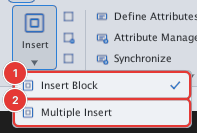
- Click Insert Block or type
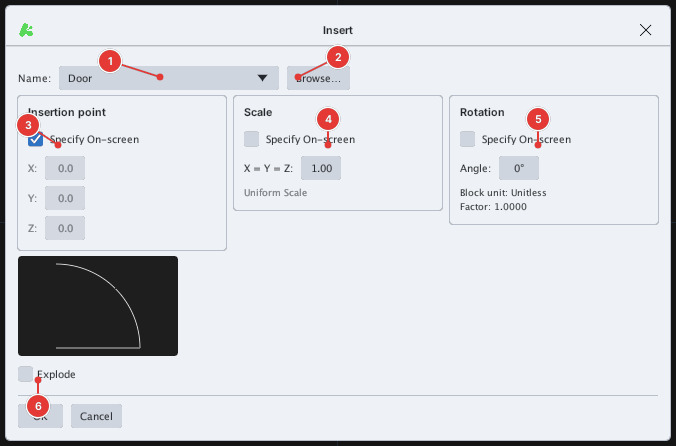
I, Enter. - Pick the block in the Name list 1 (or Browse… to insert a drawing file). The preview shows the block.
- Keep Specify On-screen to click the insertion point on the drawing; clear it to type X, Y, Z. Do the same for Scale (
X = Y = Z) and Rotation (Angle). - Click OK; click the insertion point (
Specify insertion point or [Basepoint/Scale/Rotate]:).
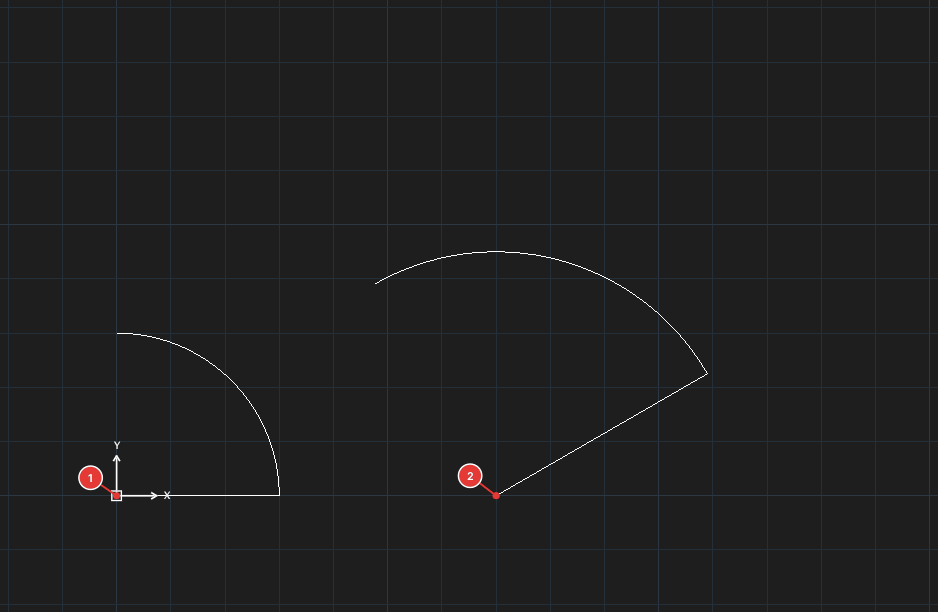
- At the insertion-point prompt
Bchanges the base point (Specify base point (offset dx,dy in block units):),Sasks the scale (Specify scale factor <1> (or pick a point):),Rasks the angle (Specify rotation angle <0>:). - Tick Explode to insert the objects loose.