BEDIT — Block editor
 Ribbon: Insert ▸ Block ▸ (bấm đúp block) hoặc gõ lệnhCommand:
BEDITAlias: BE
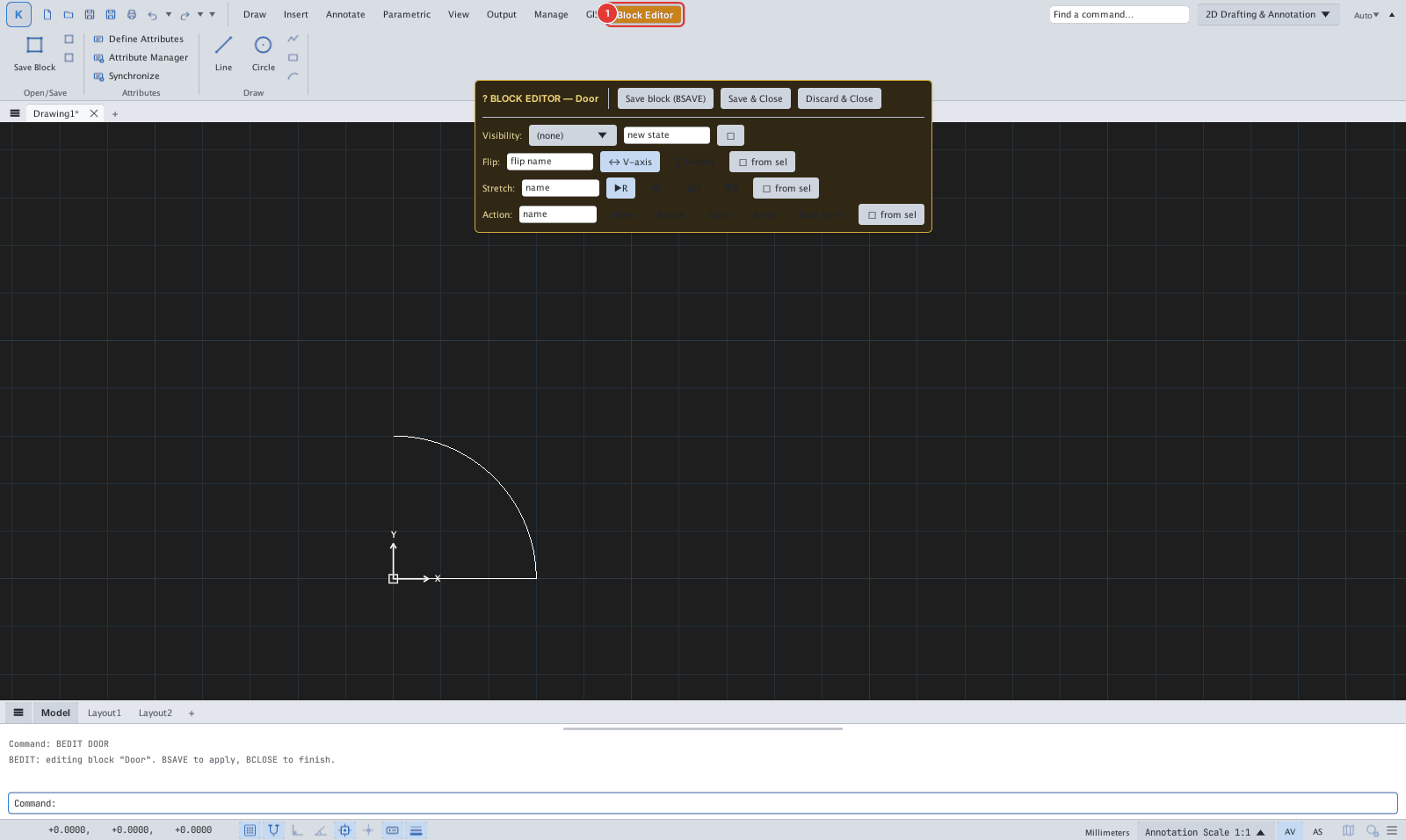
BEDIT opens a block definition so you can change its geometry, add attributes and constraints; when saved every insertion updates.
- Type
BEDIT, then the block name (BEDIT Door), or select a reference of the block. The command line reportsBEDIT: editing block "Door". BSAVE to apply, BCLOSE to finish. - Draw and edit as usual; the Attributes panel has Define Attributes, Attribute Manager, Synchronize.
- Save block (
BSAVE) applies; Save & Close orBCLOSEsaves and leaves; Discard & Close drops the changes.
The Visibility / Flip / Stretch / Action rows on the bar are dynamic-block authoring tools; this page covers ordinary geometry editing only.