Named views and viewports
 Ribbon: View ▸ ViewsCommand:
VIEW, VPORTSAlias: V
VIEW — named view
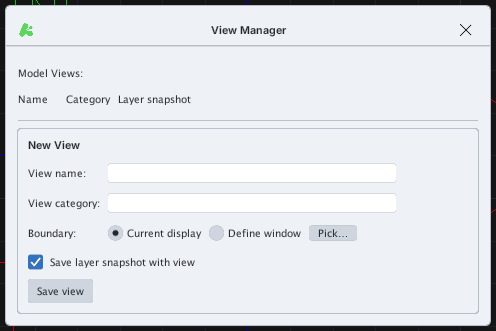
A named view stores a view so you can return to it. VIEW opens the View Manager: type a View name, optionally a View category, choose Boundary — Current display or Define window (Pick… to choose the frame), optionally tick Save layer snapshot with view, then click Save view. The Model Views list above shows the saved views to restore.
VPORTS
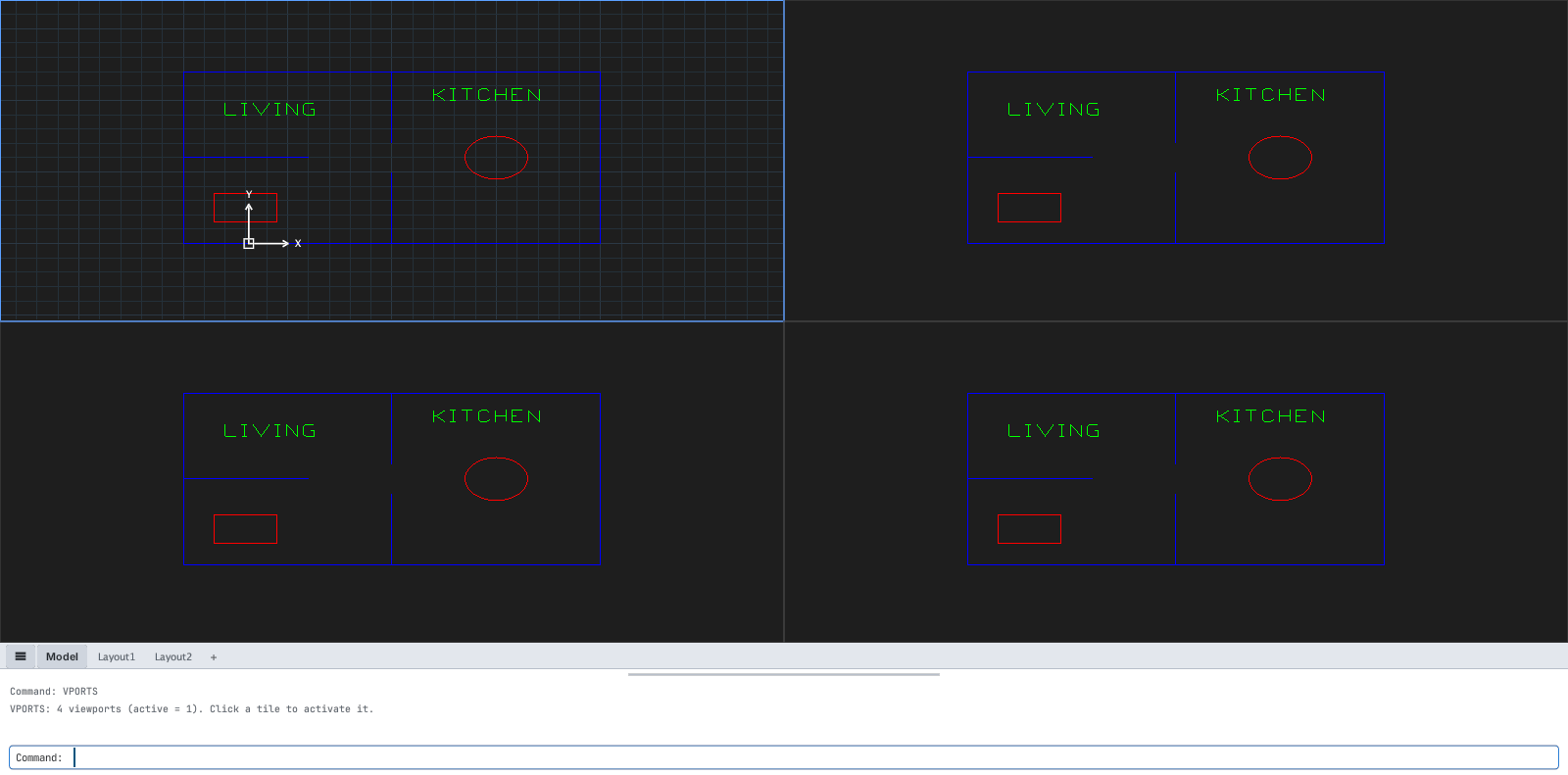
VPORTS splits the drawing area into 4 tiled views. The command line says VPORTS: 4 viewports (active = 1). Click a tile to activate it. Click a tile to make it current; each tile has its own zoom / pan. (Not the same as layout viewports in chapter 11.)
VPORTS.