Find and quick select
 Ribbon: Manage / Home ▸ UtilitiesCommand:
FIND, QSELECTAlias: FI, QSE
FIND — find and replace text
FIND opens the Find and Replace dialog to search (and replace) text in TEXT, MTEXT, attributes, dimensions… of the drawing.
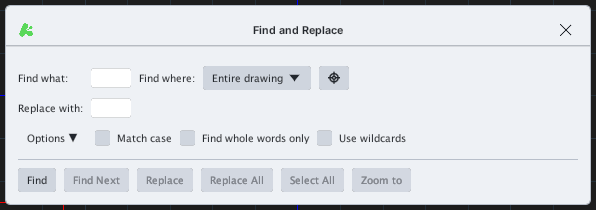
| Item | What it does |
|---|---|
| Find what / Replace with | The text to find / the replacement text |
| Find where | Scope: Entire drawing or the selection; the crosshair button picks on the drawing |
| Options | Match case, Find whole words only, Use wildcards |
| Find, Find Next | Find and jump to the next hit |
| Replace, Replace All | Replace one / all |
| Select All, Zoom to | Select every hit / zoom to the hit |
QSELECT — quick select
QSELECT selects every object that meets a type and colour condition.
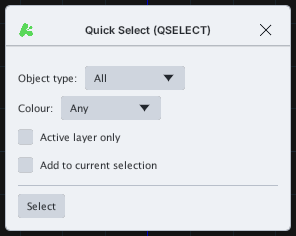
- Object type — pick a type (default All).
- Colour — filter by colour (default Any).
- Active layer only — only the current layer.
- Add to current selection — add to the current selection instead of replacing it.
- Select — run the selection; the count is reported on the command line.