Customizing aliases (PGP)
Menu: K ▸ Command Aliases…Command: ALIASEDIT
Command aliases live in the alias.pgp file (see Configuration folder). Each line looks like:
L,         *LINE
REC,       *RECTANG
The first column is the alias and the second the command (with a * before the command name). Blank lines and non-alias parts (for example the operating-system commands at the top of the file) are preserved.
The Edit Command Aliases dialog
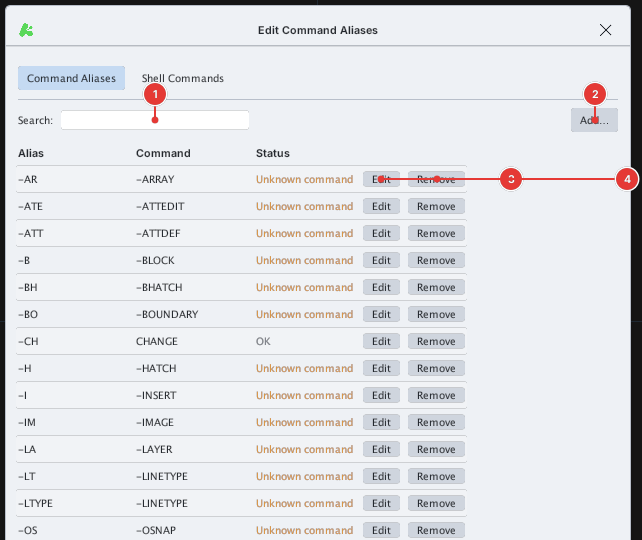
OK / Unknown command).
.pgp file), Restore Defaults (back to the default list), Apply, Cancel, OK.Adding an alias
- Open K ▸ Command Aliases….
- Click Add…: the Add Alias box appears. Enter the Alias (for example
LL) and the Command (for exampleLINE), click Save. - Click OK in the main dialog. From now on typing
LLand Enter runsLINE.
You can also edit alias.pgp directly in a text editor and then use Import… to load it again.