Entering numbers and coordinates
Whenever a prompt asks for a point you can click on the canvas, or type coordinates in the command line (or in the dynamic input box) and press Enter. This page only lists four forms; the full treatment is in chapter 4.
| Form | Type | Meaning |
|---|---|---|
| Absolute | 20,20 | X = 20, Y = 20 from the origin |
| Relative | @60,0 | 60 in X and 0 in Y from the previous point |
| Polar | @40<60 | 40 from the previous point at 60° (counter-clockwise from the X axis) |
| Direct distance | move the cursor in a direction, type 50 | 50 from the previous point along the cursor direction (use with Ortho / Polar) |
The decimal separator is a period; a comma separates X from Y.
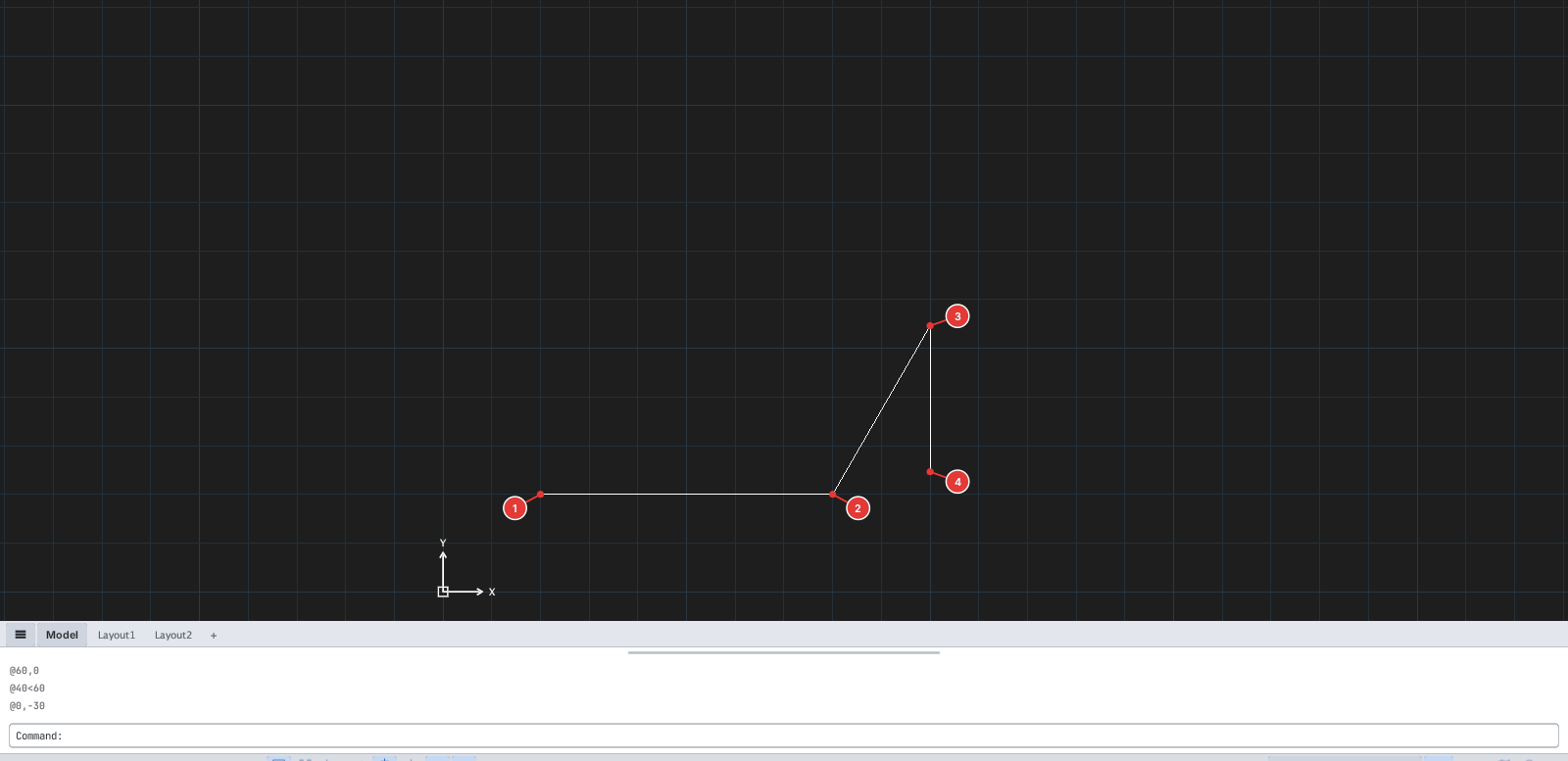
LINE, then type 20,20 1, @60,0 2, @40<60 3, @0,-30 4, then Enter. The history shows the values typed.Typing a number and pressing Enter also answers prompts that ask for a distance, radius, angle or scale factor.