Saving a drawing
Menu: K ▸ Save / Save As… / Save as DWGCommand: QSAVE, SAVEAS, SAVEDWGKeys: Ctrl+S, Ctrl+Shift+S
| Command | Effect |
|---|---|
QSAVE (Ctrl+S) | Save straight into the current file; an unnamed drawing asks where to save |
SAVEAS (Ctrl+Shift+S) | Save as a new file, choosing format and version |
SAVEDWG | Save as DWG |
After saving, the file name shows on the tab and the * disappears.
Save As
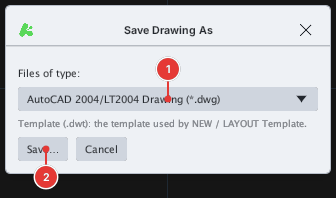
SAVEAS opens the Save Drawing As box: choose Files of type [[1]] then click Save… [[2]] to pick a name and folder.
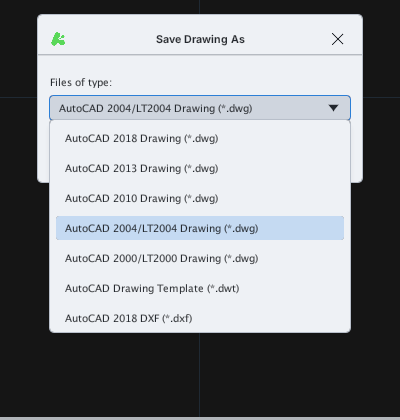
.dwt template; DXF 2018, 2013, 2010, 2004, 2000 (the list scrolls).Choose an older version when the recipient uses older software. The default format for Save is set in Options ▸ Open and Save ▸ Save as (default DWG 2004).
Saving by path
With FILEDIA = 0, SAVEAS asks Enter file name:; type a path — a .dwg extension saves DWG, any other extension saves DXF; with no extension .dwg is added.
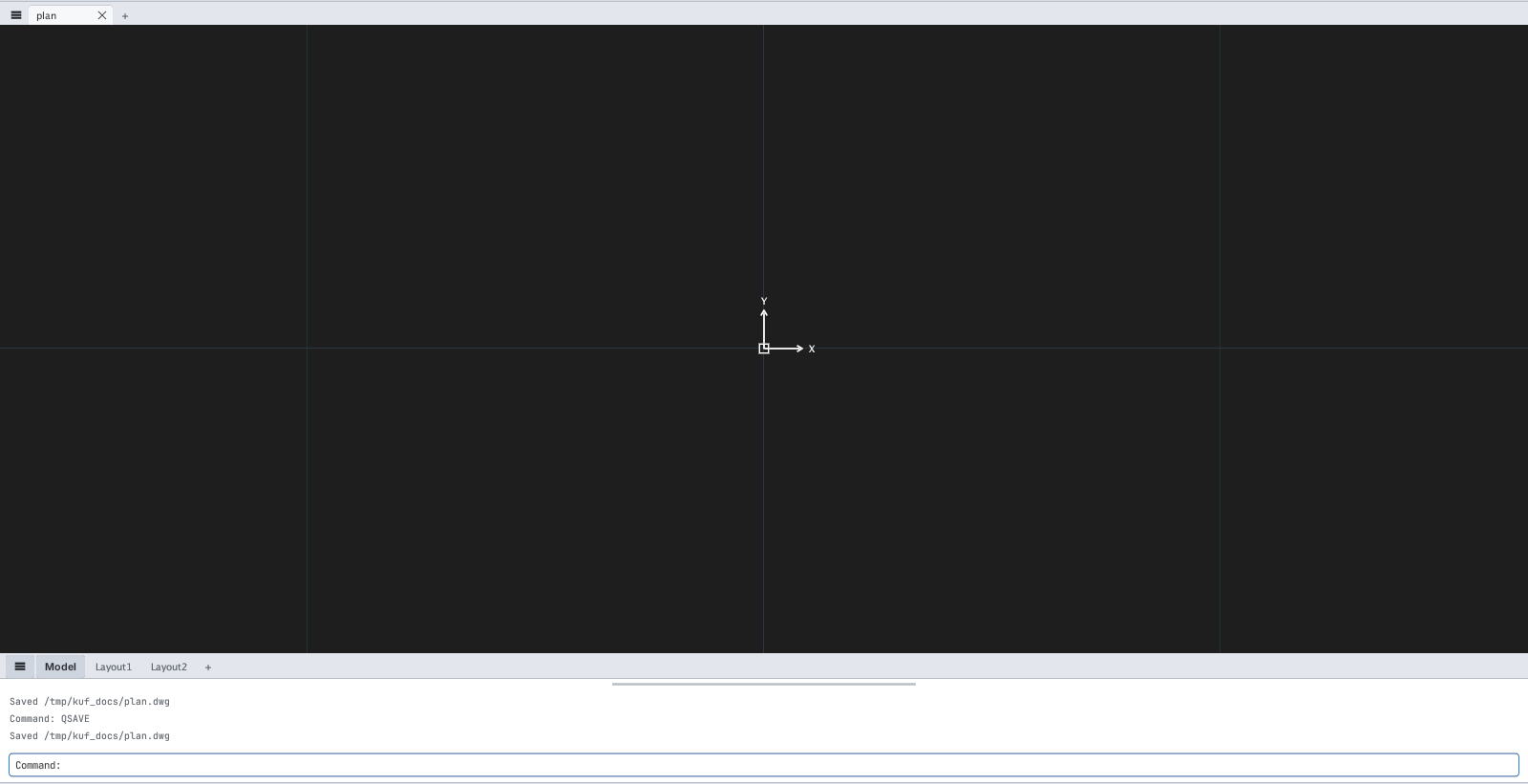
SAVEAS then QSAVE: the command line records Saved /tmp/kuf_docs/plan.dwg and the tab is renamed plan.SAVEDWG also writes Saved … on the command line.
Companion files
- Backup copy: with Create backup copy with each save on, an overwriting save keeps the previous version in a file with the same name and the extension changed to
.bak(for exampleplan.dwg→plan.bak, as in AutoCAD; a DXF file keeps the formplan.dxf.bak). .kufset: every save also writesplan.dwg.kufsetholding text styles, dimension styles, grid… Copy both files when sending a drawing to another KufCad user.