New drawing (NEW)
Menu: K ▸ NewQAT: NewCommand: NEWTabs: the + button
NEW opens the New Drawing dialog to choose a template.
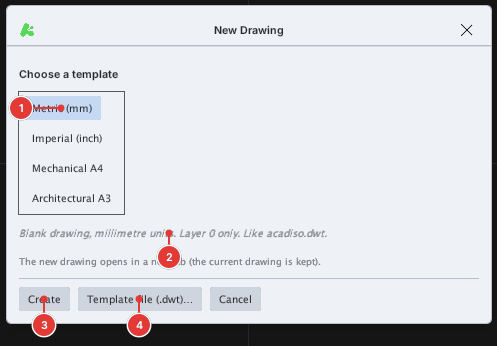
| Template | Contents |
|---|---|
| Metric (mm) | Blank drawing, millimetre units, layer 0 only (like acadiso.dwt) |
| Imperial (inch) | Blank drawing, inch units (like acad.dwt) |
| Mechanical A4 | Metric; layers Construction / Dimensions / Hidden / Center / Text; ISO dimension style; an A4 sheet with border and title block |
| Architectural A3 | Metric; layers Walls / Doors / Windows / Dimensions / Text; an A3 sheet with border and title block |
- Type
NEW(or click the + button on the tab strip). - Click a template in the list [[1]].
- Click Create [[3]].
The new drawing opens in a new tab and the current drawing is kept. Only when the current drawing is blank and untouched is the template applied to that same tab.
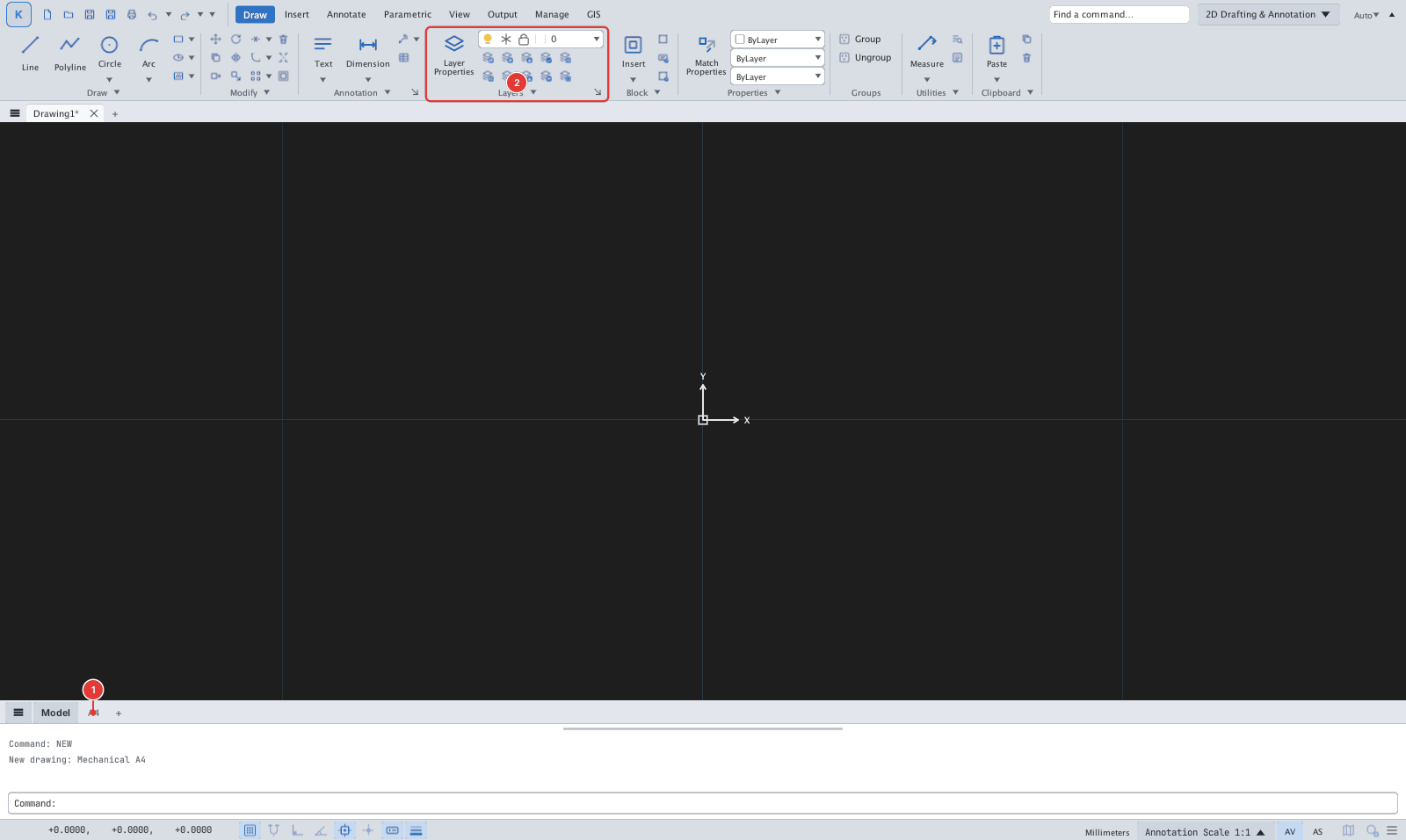
A4 layout tab 1 and the template's own layers 2 appear; the command line records New drawing: Mechanical A4.To use your own template, click Template file (.dwt)… [[4]] and choose a .dwt (or .dwg / .dxf) file — see Units and template files.