Autosave and recovery
Autosave
Menu: K ▸ Options… ▸ Open and Save
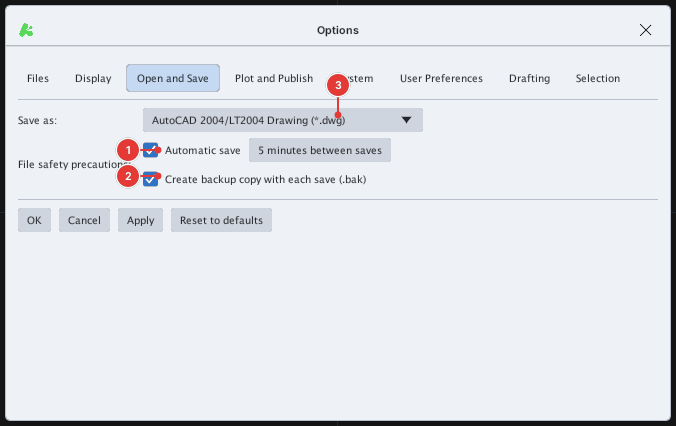
After the set number of minutes, if the drawing has unsaved changes, KufCad writes a DXF autosave copy — it does not overwrite your file:
| Drawing | Autosave copy |
|---|---|
Named, for example plan.dwg | plan.sv$.dxf in the operating system's temporary folder |
| Unnamed | kufcad_untitled.sv$.dxf in the operating system's temporary folder |
This temporary folder is shown in Options ▸ Files ▸ Automatic save file location. Autosave copies are not written next to the original, so project folders stay clean.
Recovering after a crash
If KufCad closes unexpectedly, look for the *.sv$.dxf file in the autosave folder (see Options ▸ Files), open it with OPEN like any DXF file and Save As again under the name you want. Rename it so the next autosave does not overwrite it.
AUDIT and RECOVER
Menu: K ▸ Drawing Utilities ▸ Audit / RecoverCommand: AUDIT, RECOVER
AUDIT checks the open drawing and removes invalid objects; the command line reports how many were removed.

AUDIT on a clean drawing: AUDIT: removed 0 invalid object(s).RECOVER opens a damaged file (pick it, or type the path when FILEDIA = 0) in a new tab, then checks and repairs it like AUDIT; the command line reports for example RECOVER: 0 error(s) found and fixed.