KufLISP
 Ribbon: Manage ▸ Applications ▸ Load ApplicationCommand:
APPLOADAlias: LSP
KufLISP runs AutoLISP applications as .lsp source (compiled .fas / .vlx files do not run). It is the long-standing CAD automation route and is compatible with most LISP routines you find online.
Loading a LISP file (APPLOAD)
Click Manage ▸ Applications ▸ Load Application or type APPLOAD.
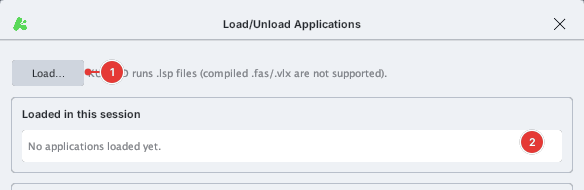
- Click Load… and pick a
.lspfile. - The program appears under Loaded in this session. The commands it defines (
(defun c:NAME …)) can be typed on the command line like built-in ones. - To load it every time KufCad starts, add it to the Startup Suite (Add…; Remove to drop it).
Security
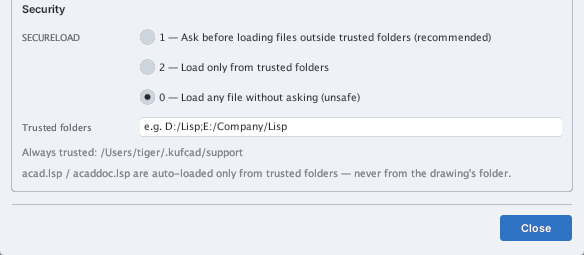
LISP can do anything to your computer (delete files, start programs…), so KufCad uses an AutoCAD-like scheme:
| SECURELOAD | Meaning |
|---|---|
| 1 (default) | Ask before loading a file outside the trusted folders |
| 2 | Load only from trusted folders |
| 0 | Load any file without asking (unsafe) |
Trusted folders: ~/.kufcad/support (always trusted) and the folders you list under Trusted folders (separated by ;). The auto-loaded acad.lsp and acaddoc.lsp are only looked for in trusted folders — never next to a drawing you received from someone else (how LISP viruses spread). If KufCad asks to load a file you did not open yourself, choose No.
Your first command
Save the following as hello.lsp, load it with APPLOAD, then type HELLO:
(defun c:HELLO ()
  (princ "\nXin chao KufCad!")
  (princ))

HELLO command run on the command line.A drawing example: the STAR command below draws a five-point star with the LINE command.
(defun c:STAR ()
  (command "_LINE" (list 0 4) (list 1 1) (list 4 1) (list 2 -1) (list 3 -4)
           (list 0 -2) (list -3 -4) (list -2 -1) (list -4 1) (list -1 1) (list 0 4) "")
  (princ "\nStar drawn.")
  (princ))
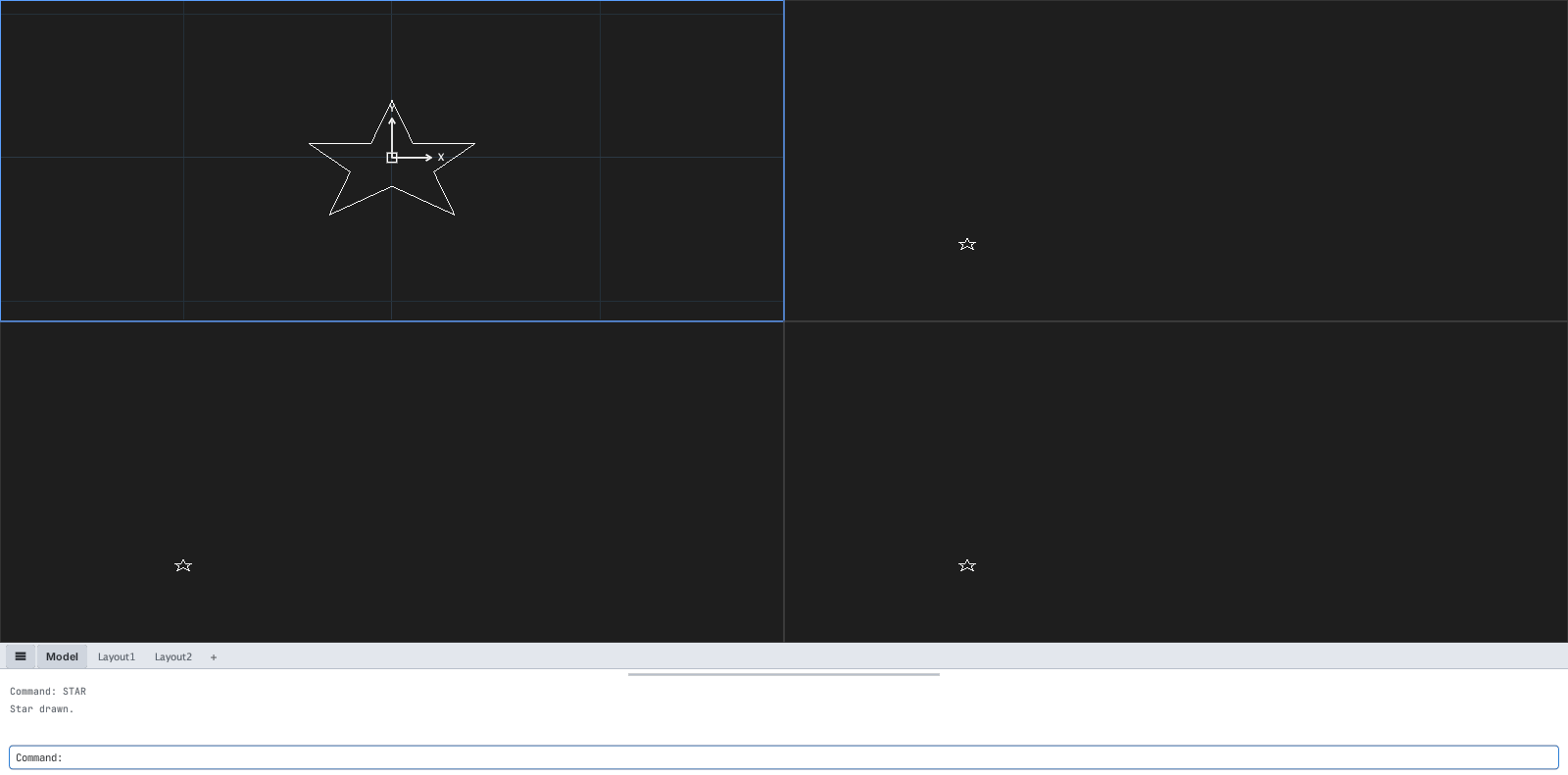
STAR command.Type ( on the command line to run a LISP expression at once, for example (+ 1 2) returns 3, or (sq 7) returns 49 after (defun sq (x) (* x x)). The sample set in KufCad's samples/lisp folder: demo.lsp (STAR, L2, GRID…), dcl_callbacks.lsp, reactor_area.lsp, vlax_layers.lsp, xdata_tags.lsp, grread_circle.lsp.
Commonly used functions checked: defun, setq, command, entmake, entget, assoc, ssget, sslength, mapcar, foreach, strcat, itoa, rtos, vl-string-search, getpoint, getreal, getstring. The ActiveX vla-* / vlax-* functions are available too.