First launch
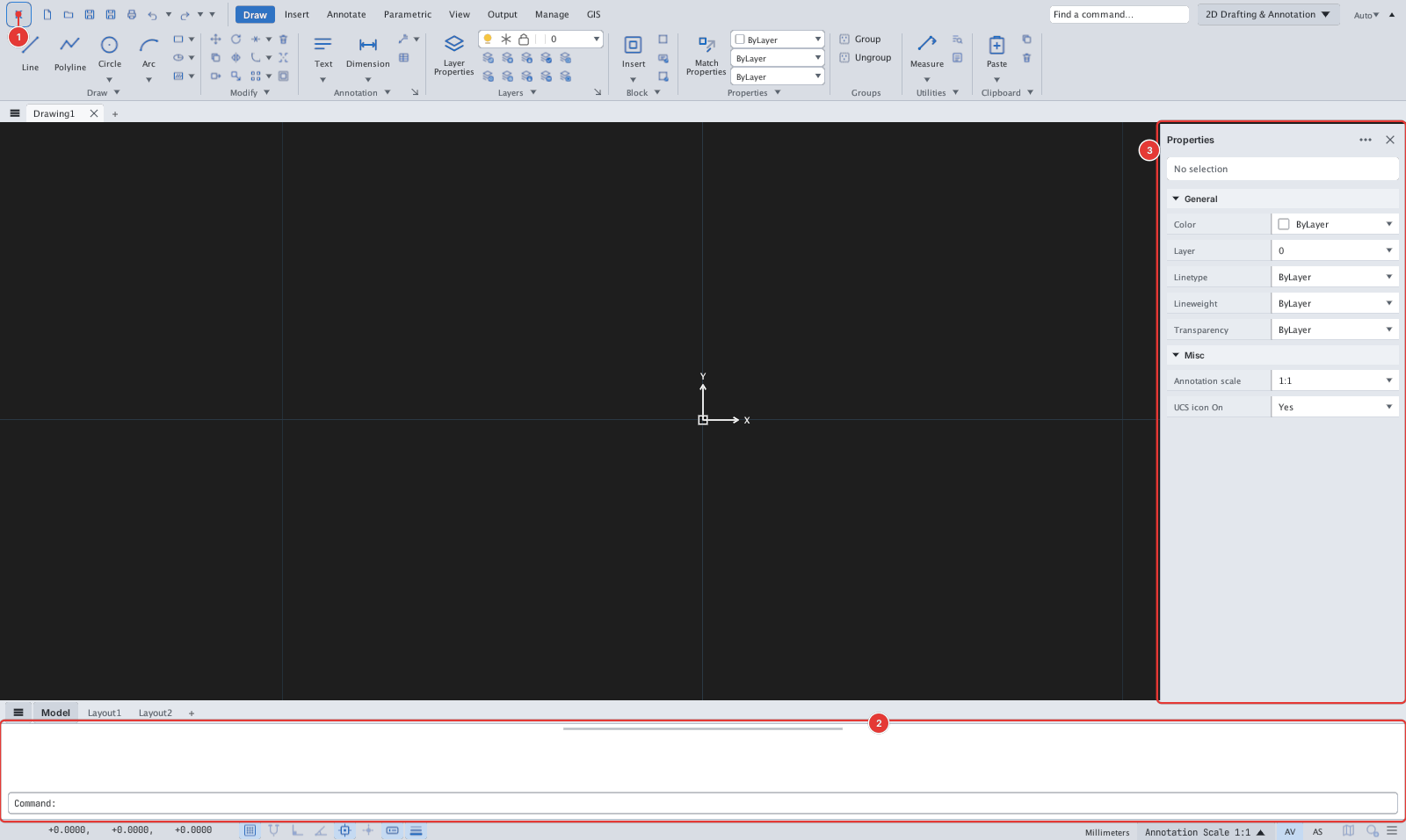
After activation, KufCad opens a blank drawing called Drawing1 in Model space, with the Draw ribbon tab, the Properties palette docked on the right and the command line at the bottom.
What to know right away:
- Click the K button [[1]] to open the application menu (New, Open, Save, Options, License…).
- Type a command in the command line [[2]] or click a ribbon button — both give the same result.
- The Properties palette [[3]] shows the properties of the selected objects; close it with ✕ and reopen it with the
PROPERTIEScommand.
On the first launch KufCad creates its configuration folder and the command alias file (alias.pgp) — see Configuration folder. Each part of the window is described in chapter 1.