Tuỳ chọn và alias
 Ribbon: Manage ▸ Application / CustomizationLệnh:
OPTIONS, DSETTINGS, ALIASEDITAlias: OP, DS
OPTIONS
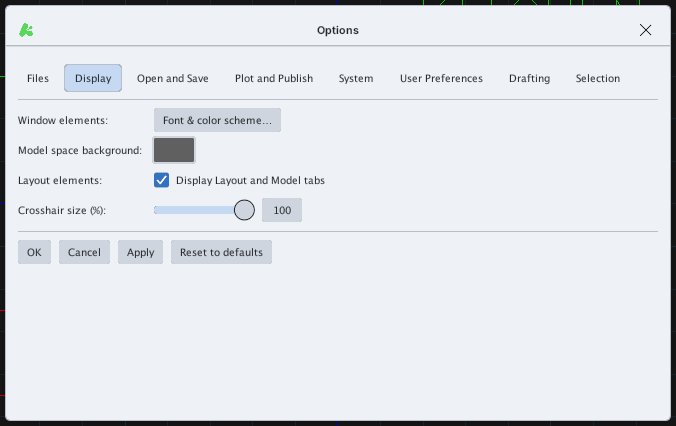
OPTIONS mở hộp thoại Options gồm các thẻ: Files, Display, Open and Save, Plot and Publish, System, User Preferences, Drafting, Selection. Các nút OK, Cancel, Apply và Reset to defaults ở cuối.
DSETTINGS
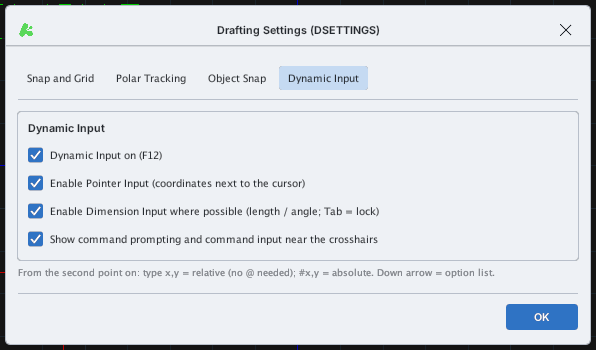
DSETTINGS mở Drafting Settings với các thẻ Snap and Grid, Polar Tracking, Object Snap, Dynamic Input: bật / tắt Snap (F9), Grid (F7), Ortho (F8), khoảng cách lưới / snap, góc, lưới thích ứng…
ALIASEDIT
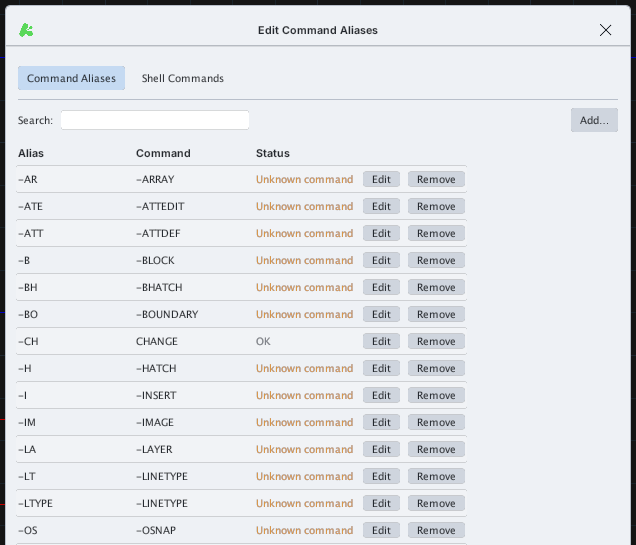
ALIASEDIT mở Edit Command Aliases: bảng các bí danh gõ tắt (ví dụ L = LINE). Ô Search lọc danh sách; Add… thêm bí danh; Edit / Remove sửa / xoá từng dòng; cột Status báo OK hoặc Unknown command nếu lệnh đích không tồn tại. Thẻ Shell Commands dành cho lệnh ngoài. Cuối hộp thoại có Export…, Import… (file .pgp), Restore Defaults, Apply, Cancel, OK. Nút Reload Aliases trên ribbon nạp lại file bí danh.